The problem: paperwork that has to become data
Invoices, contracts, KYC files, tax documents, forms and resumes arrive every day, and someone copies the fields into a CRM, ERP, finance tool or spreadsheet. The work is slow, it is easy to get wrong, and the errors surface later as a wrong payment, a missed renewal or a failed reconciliation.
An extracted value without a source location and a validation result is a guess.
OCR alone does not solve it. OCR turns a page into text; the business needs fields: vendor, tax, due date, total, line items, renewal date, obligations. Getting from text to trustworthy fields means understanding layouts and tables, checking the values against each other, catching duplicates and sending anything uncertain to a person. An extracted value without a source location and a validation result is a guess.
Document intelligence is that whole workflow: classification, extraction into a defined schema, validation, a review queue for exceptions and a tested export to the system that uses the data. It is not a place to chat with documents. Asking questions across stored knowledge is a search problem, covered in the Enterprise Knowledge & RAG guide.
How to decide, including when not to build
A standard OCR or IDP product may handle a consistent document format well. Custom extraction is useful when source provenance, mixed layouts, review logic or system integration need to fit your operating process. The deciding question is whether you can write down the fields you need and the rules that make a record correct.
Build when
- The documents recur in known families, such as invoices, contracts, claims packets or statements, and the required fields can be defined.
- Layouts vary across vendors, counterparties or scan quality, so a fixed template keeps breaking.
- Each field needs a source reference and a validation result before it can enter another system.
- The output feeds a downstream workflow, such as an ERP posting, a CRM record or a reconciliation, where errors are expensive.
Don't build when
- One consistent format that an off-the-shelf OCR or IDP product already reads reliably.
- One-off or very low-volume documents, where review by hand costs less than building and maintaining a pipeline.
- The fields or acceptance rules cannot be defined, so there is nothing to validate against.
- A contract lifecycle product already covers your playbook. See contract review software: build or buy.
- The documents carry high legal, medical or financial risk and nobody can own a review threshold for them.
Options, simplest first
Native text and OCR
Use embedded text where it is reliable and OCR for scanned pages, and keep page and field provenance instead of treating documents as plain text.
Layout-aware and multimodal extraction
Evaluate readers that use tables, layout and images when those carry the meaning, and compare them on your actual document mix.
Schema and validation around the reader
Constrain outputs to the target schema, reconcile amounts, check duplicates and show uncertain fields to a reviewer. Whichever reader you choose, this layer is what makes the output usable.
Reference architecture for document extraction
A document pipeline is easiest to trust when every stage leaves evidence the next stage can check. The order below follows one document from intake to an approved record.
- 01Intake and classification
- 02Reader selection
- 03Schema-constrained extraction
- 04Independent validation
- 05Exception queue
- 06Reviewed export
- 07Monitoring by document type
Intake and classification
Each file is identified by document family, such as invoice, contract or statement, so it gets the right schema, rules and review path. Unknown types go to review.
Reader selection
Native text, OCR, or a layout-aware or multimodal reader, chosen by testing on real samples, including poor scans and unusual layouts.
Schema-constrained extraction
The reader fills a defined schema of fields and line items. Each value carries its page and location in the source document.
Independent validation
Format, cross-field and duplicate checks run separately from the model: totals reconcile, required fields are present, the same invoice has not arrived twice. A model confidence label alone is not proof of correctness.
Exception queue
Material exceptions go to a reviewer with the source document and the failing check attached, so the reviewer corrects the value without hunting for it.
Reviewed export
Only reviewed or rule-passing records move into the approved CRM, ERP, database or spreadsheet, through a tested export contract. An extracted invoice is not a payment approval; posting and payment controls stay separate.
Monitoring by document type
Exception rate, reviewer corrections and new layouts are tracked per document family, so drift shows up before it reaches downstream systems.
Quellix calls this the Extraction-to-Review Workflow: every document flow has a target schema, validation rules, confidence thresholds and a review queue for exceptions before data reaches the next system. Intelligent data extraction beyond OCR covers it step by step.
Common failure modes
Extraction errors are rarely dramatic. They are small, plausible values that pass into a system and are found weeks later. These are the ones to test for.
Invented fields
A model fills a field that is not in the document, such as a plausible PO number or due date. Measure missing and invented fields separately, by document type.
Misaligned line items
Table rows shift, so quantities, prices and descriptions no longer belong together. Reconcile line items against the document total.
Confidence used as a release gate
High model confidence on a wrong value sends it straight through. Independent checks decide what passes; confidence only helps rank the review queue.
Duplicates
The same invoice arrives by email and by upload and is processed twice. Duplicate detection belongs before export, not in the downstream system.
Silent degradation on new layouts
A new vendor template lowers accuracy without any error. Track corrections per layout and route unfamiliar formats to review.
Poor scans accepted
Low-quality pages produce confident-looking text. Route poor-quality and unfamiliar files into an exception queue rather than accepting them silently.
An extracted clause read as a legal conclusion
Contract extraction finds the clause; it does not decide what it means. A qualified owner reviews consequential interpretations.
Double posting downstream
A retried export writes the same record twice. Exports need idempotent writes and a record of what was sent.
Cost and effort drivers
Document pipelines are scoped by the variety of the inputs and the strictness of the outputs. These factors move the effort most.
Number of document families and layouts
Lower effortOne family, few layoutsHigher effortMany families and vendor layoutsEach family needs its own schema, rules and exception path. Many vendors or counterparties mean many layouts to test.
Field and line-item depth
Lower effortA few header fieldsHigher effortFull line items with tax and referencesA handful of header fields is quick. Full line-item extraction with tax and reference fields needs more validation and more test cases.
Scan quality
Lower effortClean native PDFsHigher effortPhone photos and faxed pagesClean native PDFs are cheaper to process than phone photos and faxed pages, which need OCR choices and a larger review share.
Reference data for validation
Lower effortFormat checks onlyHigher effortChecks against POs, vendor masters or filingsChecking against purchase orders, vendor masters or prior filings makes records more reliable, and needs those systems to be connected.
Review thresholds and staffing
Lower effortLow-risk fields, light reviewHigher effortHigh-risk records, more human reviewWhere the risk is higher, more records go to people. The threshold is a business decision that sets both cost and error tolerance.
Export contract and processing cost
Lower effortSpreadsheet export at low volumeHigher effortSystem integration at high volumeIntegration with the downstream system, plus per-page reading and model costs, which grow with volume and with the reader chosen.
Quellix scopes this work in three steps: a free AI Fit Review of the document types and target fields, a focused working POC for qualified opportunities, then production delivery against agreed milestones and acceptance criteria. See how we work and pricing.
Service and case studies
ServiceAI Document Processing & Data Extraction ServicesHow Quellix scopes, builds and hands over this kind of system.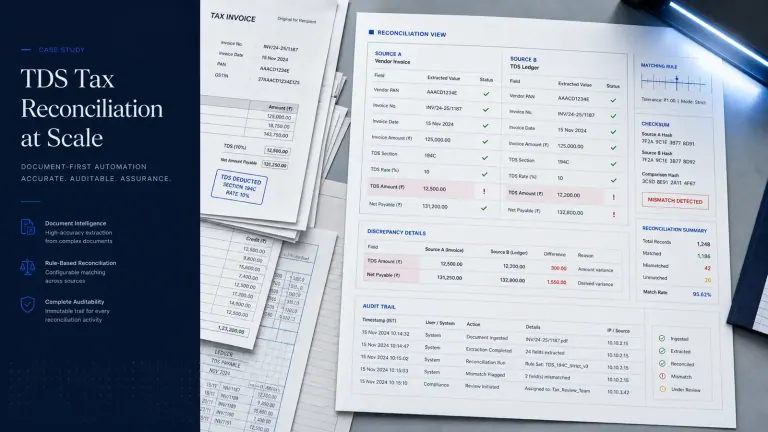
The TDS reconciliation case supports reconciliation, exception review and approval workflow experience. It is not evidence of a measured OCR or document-extraction accuracy rate.
Start here
The articles below go deeper on the parts of this guide that teams ask about most, in a sensible reading order.
- Intelligent Data Extraction Services Beyond OCRExtraction, validation and review queues for invoices, contracts, PDFs and forms.
- AI Invoice Processing: From OCR to ReviewReplacing brittle OCR handoffs with validation rules and exception queues.
- Invoices to Decisions: A Reliable AI WorkflowFrom invoices to governed decisions with approvals and operating controls.
- AI Contract Review Automation WorkflowContract extraction, playbook checks, exception routing and approval.
- AI Contract Review Software: Build or Buy?When contract review software is enough, and when your legal playbook needs a custom pipeline.
Every Document Intelligence article
All 5 published field notes in this cluster, newest first.
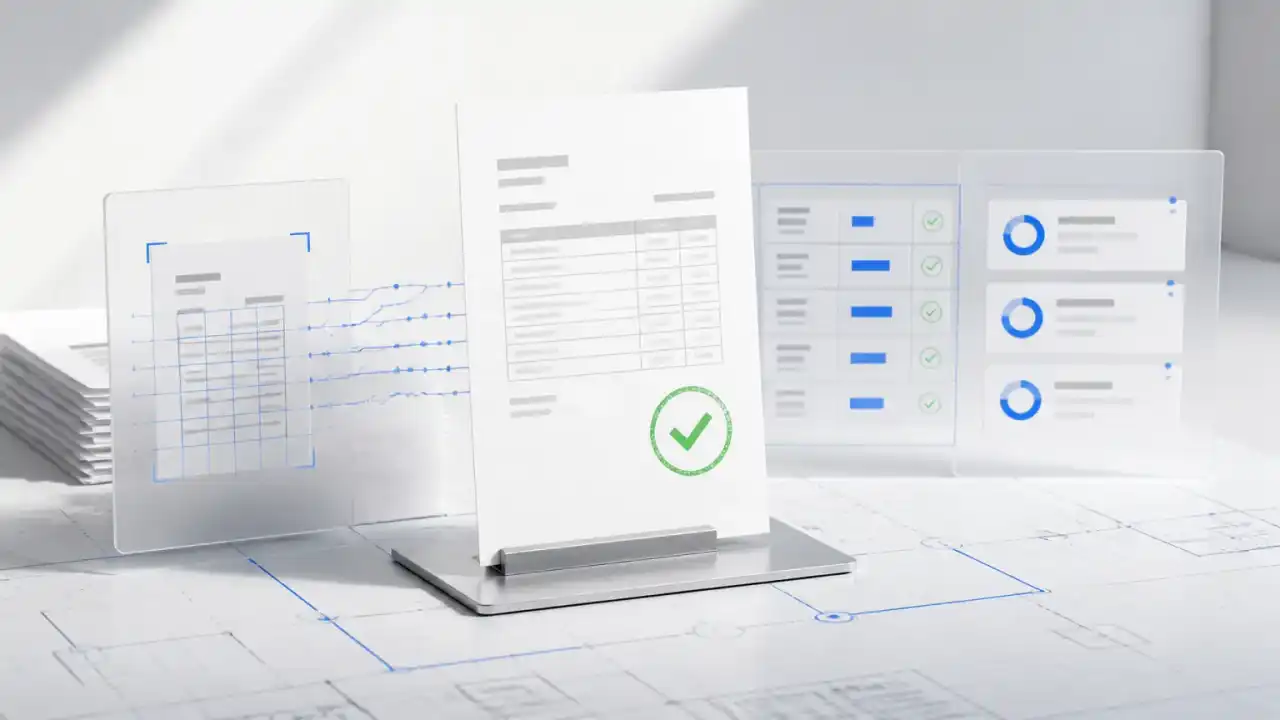 Invoices to Decisions: A Reliable AI Workflow
Turn invoices and business documents into governed decisions with OCR, NLP, validation, approvals, and measurable operating controls.
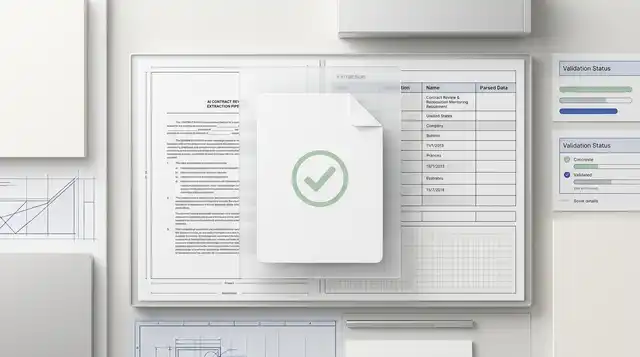 AI Contract Review Automation Workflow
Reduce legal bottlenecks with contract extraction, playbook checks, exception routing, and human approval.
 AI Contract Review Software: Build or Buy?
Decide when to buy contract review software and when a custom AI pipeline better fits your legal playbook.
 Intelligent Data Extraction Services Beyond OCR
Turn invoices, contracts, PDFs, and forms into structured data with extraction, validation, and review queues.
 AI Invoice Processing: From OCR to Review
Replace brittle OCR handoffs with invoice extraction, validation rules, exception queues, and approvals.
Browse by category: Document Intelligence
Still copying fields out of documents?
Bring a sample of the documents, the fields you need and the system they feed. An engineer will map the schema, the checks and the review path.