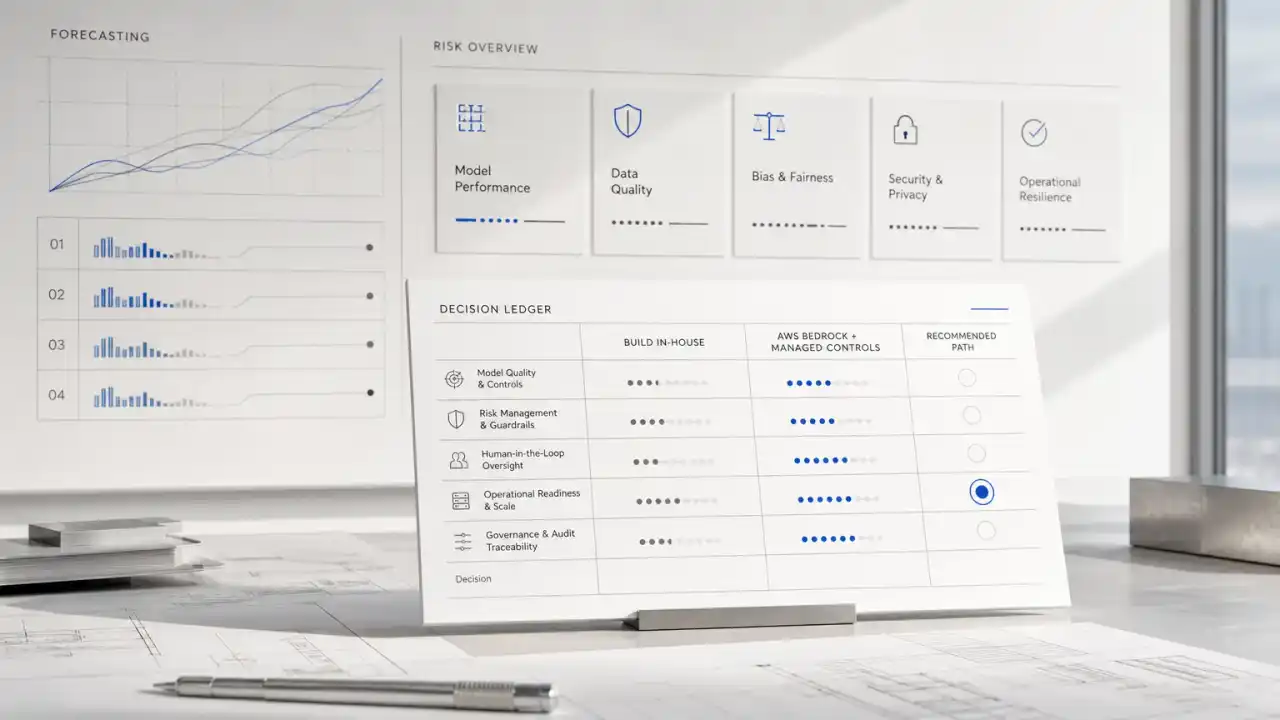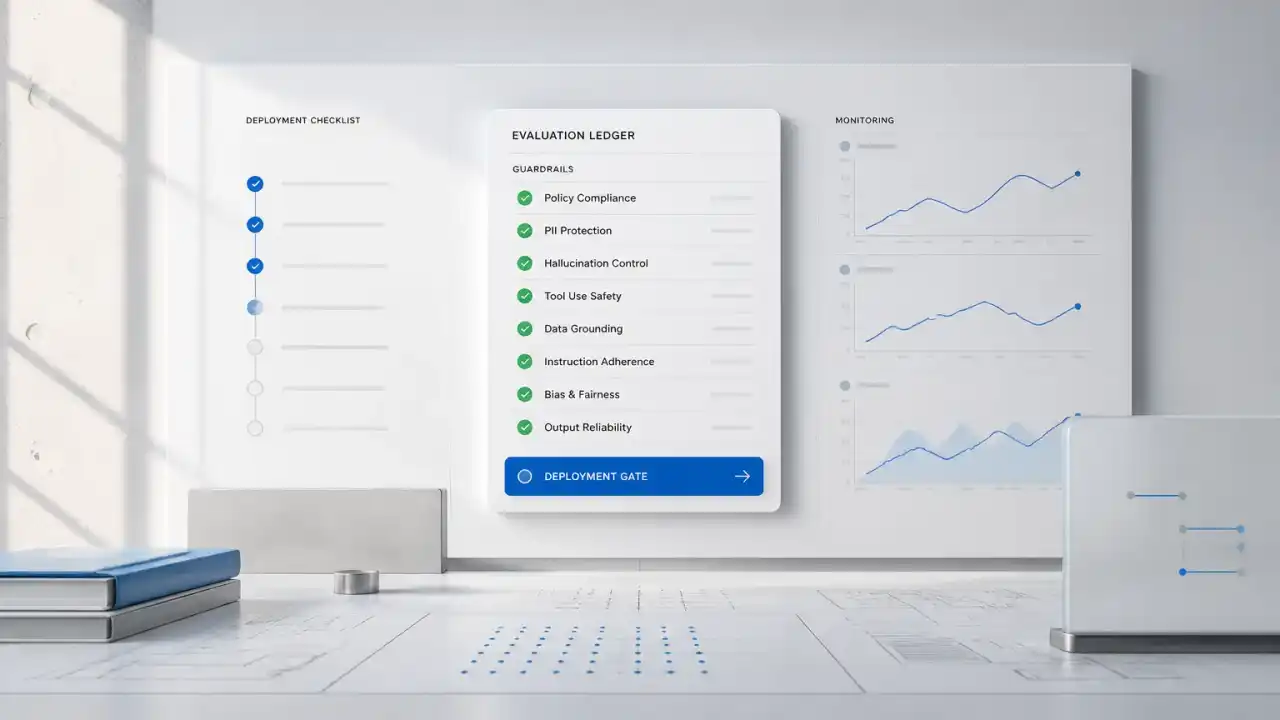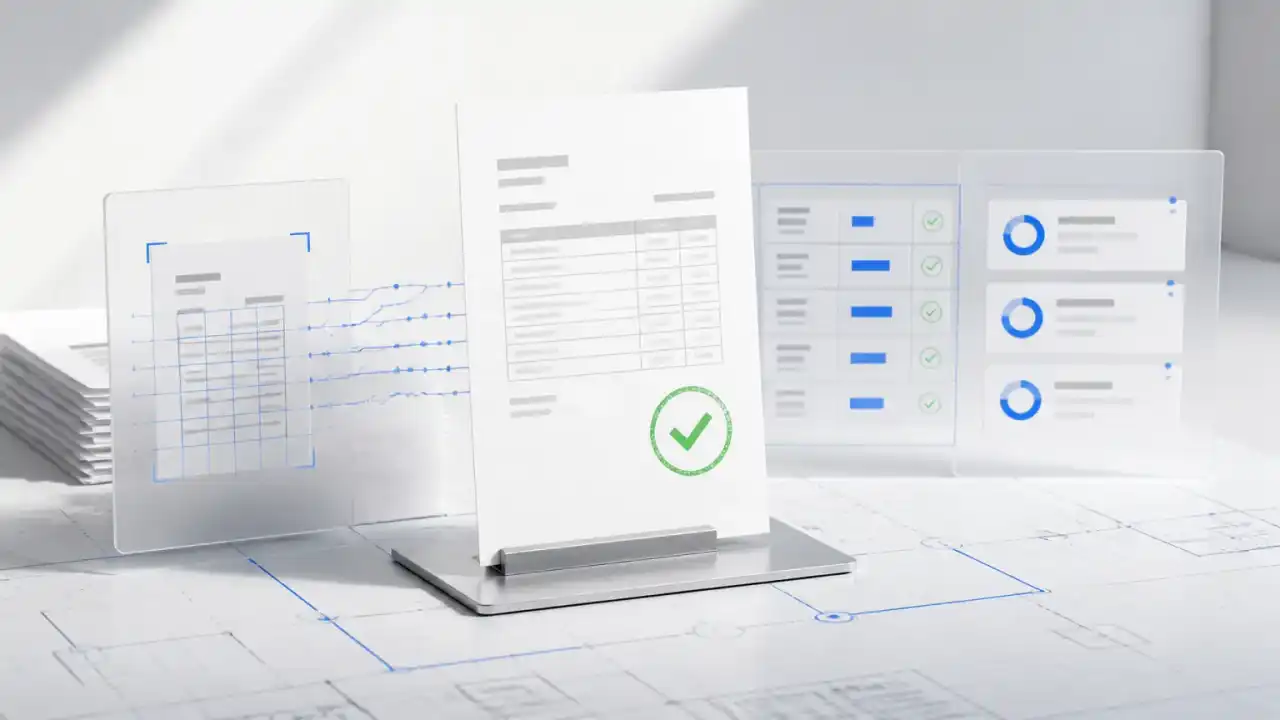
Reliable AI document processing needs extraction, evidence, validation, and a controlled handoff to the business system. OCR can read an invoice total correctly while the invoice itself is wrong. The workflow must distinguish those two problems before anyone approves a record.
For example, a supplier sends an invoice by email and again through a portal. The pages are readable, but the total does not match the subtotal plus tax. A useful system catches both the duplicate submission and the arithmetic discrepancy, shows the evidence to accounts payable, and waits for a decision. This article uses that illustrative case to explain the build.
When this needs an AI document processing build
A build is worth considering when the same document families arrive repeatedly, suppliers use different layouts, and employees re-key or compare fields before making a defined decision. Start with the manual handling cost and the kinds of exceptions that cause delay.
For invoices, identify the ERP destination, supplier register, purchase-order records, and person who resolves disputes. If those foundations are available, a first release can prepare validated draft records while keeping payment release in the existing approval process.
If volume is low or the target system already handles the documents reliably, a custom pipeline may add maintenance without much value. The useful question is which specific decision becomes easier to make once the document's evidence is available.
What changes when the workflow is designed well
A manual process often looks like this: an employee downloads an attachment, identifies its type, searches for the right account, copies fields into a system, checks totals, asks for approval, and follows up when something is missing.
A production workflow separates those actions into stages. A document enters through email, upload, an API, or a shared drive. The system identifies its type, extracts fields and tables, preserves page-level evidence, validates the result, and proposes the next action.
The employee then sees a focused review queue instead of a blank form. They correct only uncertain or conflicting fields. Approved data moves to the target system with an audit record.
This design can reduce repetitive handling without pretending that every page deserves the same level of automation. It also gives operations leaders clearer measures: touchless completion, exception rate, correction rate, processing time, duplicate rate, and value posted to the source system.
Document AI workflow: from page to approved action
The following is a practical workflow for supplier invoice processing. The same pattern can support claims, contracts, or onboarding documents, but the validation rules will differ.
Email / API / Upload
        |
        v
1. Intake + malware and file checks
        |
        v
2. Classify document and detect duplicates
        |
        v
3. OCR text, layout, tables, and page evidence
        |
        v
4. Extract fields into a versioned schema
        |
        v
5. Validate against PO, vendor, tax, and policy data
        |
        +------> Low risk + complete ------> Post to ERP
        |
        +------> Uncertain or conflicting --> Human review
        |
        +------> Unsupported or unsafe ----> Reject / quarantine
1. Intake should establish control before interpretation
Accept only expected file types and record the source, timestamp, sender, and document identifier. Scan files before they reach an interpretation service. Create a hash or equivalent fingerprint so the workflow can identify likely duplicates.
If the same invoice arrives through email and a portal, the files may have different hashes because one is a rescan. Keep a byte-level fingerprint for exact copies, then check a business identity such as supplier, invoice number, and purchasing entity for likely duplicates. Do not use amount alone: suppliers can legitimately issue several invoices for the same value. Route uncertain matches for review.
2. Classification determines the rest of the path
A purchase order, invoice, credit note, and remittance advice should not share one loose extraction prompt. Classification should select a document schema, validation rules, and approval route.
Use a confidence score as a routing signal, not as a business decision. A field can be visually clear but still fail a policy check. A vendor name may be readable while the vendor account is unauthorized.
3. OCR and layout analysis preserve evidence
OCR converts pixels into text. Layout analysis adds location, reading order, tables, key-value relationships, and page references. Document AI platforms commonly expose capabilities for extracting text, structure, tables, or entities; for example, see Google Cloud's Document AI overview, Microsoft's Document Intelligence overview, and Amazon Textract's document analysis guidance.
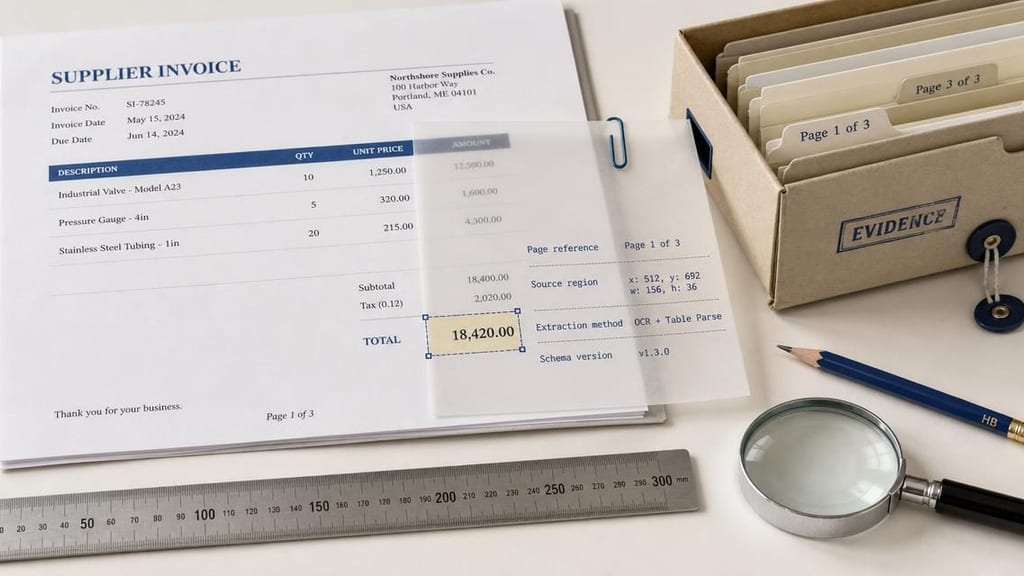
Store evidence with every extracted value. "Total: 18,420" is not enough. Store the page, bounding region, source text, extraction method, and schema version. A reviewer should be able to answer, "Where did this value come from?" directly from the review screen.
Every Number Has a Source
4. Extraction should produce a typed, versioned contract
Define the output before choosing a model. An invoice schema might include:
- Supplier identity and supplier account ID
- Invoice number and invoice date
- Purchase order number
- Currency, subtotal, tax, total, and payment terms
- Line items, quantities, unit prices, and tax codes
- Evidence references for each field
- Confidence, validation status, and review reason
Treat the schema as an interface between AI and the business system. If finance adds a tax-code requirement, create a controlled schema change and test it against historical documents. Do not silently alter field meaning inside a prompt.
5. Validation is where business value is created
Extraction answers, "What appears on the page?" Validation asks, "Can the business safely use it?"
Useful checks include:
- Does the supplier match an approved vendor record?
- Does the purchase order exist and belong to that supplier?
- Do line totals reconcile with subtotal and tax?
- Does the invoice duplicate a previously processed number?
- Is the currency allowed for the entity?
- Does the amount exceed an approval threshold?
- Are required fields present and internally consistent?
Use deterministic rules wherever the answer is deterministic. Machine learning is useful for classification, variable layouts, and ambiguous language. It should not replace an exact arithmetic check or an authorization policy.
In the illustrative image above, the subtotal is 18,400 and the tax is 2,020, while the displayed total is 18,420. Even if extraction captures each printed value perfectly, the record must fail validation: the subtotal plus tax is 20,420. Store both the printed total and the computed expectation. A reviewer needs to distinguish a bad source document from a bad extraction, rather than correcting one number until the form passes.
Apply the same distinction to supplier matching. A correctly read company name does not prove that the invoice belongs to an approved vendor account. Keep identity resolution separate from text recognition and never use a newly extracted bank account as its own verification.
6. Human review should be narrow and explainable
Route a document to a reviewer when a critical field lacks evidence, a validation rule fails, or the proposed action crosses a risk boundary. Show the original page beside the extracted field, the reason for review, and the expected correction.
Avoid a generic "approve AI output" button. The reviewer should approve a defined business action, such as "post this invoice to the ERP" or "send this missing-PO request." That distinction improves accountability and makes review time measurable.
7. Downstream actions need idempotency and recovery
Posting to an ERP, updating a CRM, or notifying a supplier is an external side effect. Give each action an idempotency key, record the response, and make retries safe.
If the ERP is unavailable, preserve the approved document in a durable queue. Do not ask the model to decide whether a failed write succeeded. The integration should determine that from the target system.
Approval boundaries and risk controls
Not all extracted fields deserve the same treatment. Quellix recommends a risk matrix based on business impact, reversibility, and evidence quality.
| Action | Default treatment | Example boundary |
|---|---|---|
| Store extracted text and evidence | Automatic | No downstream financial effect |
| Create a draft record | Automatic with monitoring | Duplicate check passes |
| Update a non-critical CRM field | Automatic or sampled review | Source and account match |
| Post an invoice for payment | Human approval or strict policy gate | Vendor, PO, totals, and thresholds pass |
| Change supplier banking details | Separate verified process | Never rely on document extraction alone |
| Reject or communicate a dispute | Human decision | Evidence and policy are reviewed |
The NIST Generative AI Profile provides lifecycle risk-management guidance. It does not certify an invoice pipeline or set a universal approval threshold; those remain business decisions backed by the actual controls.
The important boundary is not "human in the loop" as a slogan. It is a clear definition of which errors the business is willing to absorb, which actions can be reversed, and who owns exceptions.
Build Path: a practical implementation sequence
Start with a representative document set
Collect real documents across suppliers, scan quality, languages, page counts, and exception types. Include difficult examples. A clean sample can make a weak workflow look production-ready.
Label the fields and business outcomes that matter. You do not need to annotate every word if the first release only needs supplier, total, purchase order, and approval status.
Establish a baseline before selecting models
Measure current handling time, re-keying effort, exception volume, duplicate payments, and approval delay. Then define acceptance thresholds for field accuracy, document-level completion, review time, and safe system updates.
A single average accuracy number hides the risk. A workflow can perform well overall while failing on tax amounts or bank details. Measure critical fields separately.
Use a layered architecture
A sensible first version usually contains:
- Intake and secure storage
- Document classification
- OCR and layout extraction
- Schema-based field extraction
- Deterministic validation
- Review queue with evidence
- ERP, CRM, or case-system integration
- Monitoring, feedback, and replay tools
Use a specialist document model where layout and tables dominate. Add NLP or a language model for classification, normalization, and ambiguous descriptions. Keep sensitive actions behind application rules rather than model output.
Pilot one decision, not the entire department
For accounts payable, begin with invoice capture and draft creation. Keep payment release manual. Compare the AI-assisted path with the existing process for several document cohorts, including difficult suppliers.
Capture corrections as structured feedback. A corrected field should tell the team whether the issue came from poor image quality, a new layout, an incorrect vendor match, a schema gap, or a rule failure.
Operate it like a product
Set an owner for the extraction schema, validation rules, review queue, integrations, and incident response. Monitor drift by supplier, document type, language, and source channel.
When a supplier changes its template, the system should surface the change through rising exceptions. It should not quietly continue posting questionable records.
Risks, limits, and when to wait
AI document processing is not automatically worthwhile. Wait when document volume is low, the process is already fast, or the downstream system lacks a reliable API. Manual handling may be cheaper than maintaining an integration and review queue.
Wait when the business cannot define the desired action. Extracting dozens of fields without a decision path creates a searchable archive, not an operational improvement.
Also wait when the source documents are fundamentally incomplete. No OCR or language model can infer a missing approval, an unrecorded purchase order, or a trustworthy supplier identity from a page alone.
Common production risks include:
- False confidence: readable text is mistaken for correct business data.
- Layout drift: a supplier redesign increases exceptions without an obvious outage.
- Duplicate processing: multiple intake channels create repeated records.
- Sensitive content exposure: documents may contain personal, financial, or confidential data.
- Integration failure: a successful extraction does not guarantee a successful system update.
- Review bottlenecks: low thresholds send too many documents to the same team.
The answer is not to remove all automation. It is to narrow the automated action, preserve evidence, and make failure visible.
The part most demos skip: choose the service boundary
If your main problem is extracting, validating, and routing business documents, Quellix's AI document processing services are the most direct fit. The work can cover OCR, classification, structured extraction, validation, human review, and system integration.
If employees also need to search approved documents after processing, an enterprise AI search and RAG implementation may be a second layer. Search should not replace transaction validation, but it can help teams find policies, supplier terms, and supporting evidence.
What Quellix would build
Our AI document processing service would begin with one invoice family and one ERP action. We would map the intake channels, supplier records, approval owners, and current exception handling before choosing an extraction model.
The first release would preserve field evidence, produce a versioned invoice schema, and run explicit checks for totals, supplier identity, purchase orders, and duplicate submissions. Accounts payable would see a review screen with the page, the extracted value, the computed expectation, and the reason the record stopped.
The ERP integration would create drafts with stable action identifiers and reconcile uncertain writes. Payment authorization would remain in the established business process. We would compare review time, critical-field corrections, duplicate detection, and completed draft creation with the existing baseline.
Bring a representative document pack that includes rescans, missing purchase orders, and disputed totals. Those exceptions establish whether the proposed workflow can handle daily work more clearly than a clean demonstration.
FAQ
Is OCR enough for invoice automation?
No. OCR produces text, but reliable automation also needs layout understanding, field mapping, business validation, evidence, and downstream controls.
Should every low-confidence document go to a person?
Not necessarily. Route based on field criticality and failed rules. A low-confidence description may be acceptable, while an uncertain supplier identity should stop the workflow.
Should a language model approve payments?
No. Use the model for interpretation and normalization. Keep payment authorization, thresholds, duplicate checks, and final approval in deterministic application logic.
What is the best first document type?
Choose a repetitive document with a clear owner, measurable manual cost, and a bounded action. Invoices often work because their fields and validation rules are concrete.
Related Reading
- AI Agents: Workflows, Approvals, and Guardrails - how to define approval boundaries when automation takes action.
- EU Transparency Guidance Changes Customer AI Workflows - considerations for communicating AI involvement in business workflows.
- GPT-5.6 Model Routing for Approval Workflows - why routing and escalation choices matter in production systems.