An AI research desk that finds buying triggers for a B2B sales intelligence provider.
Published
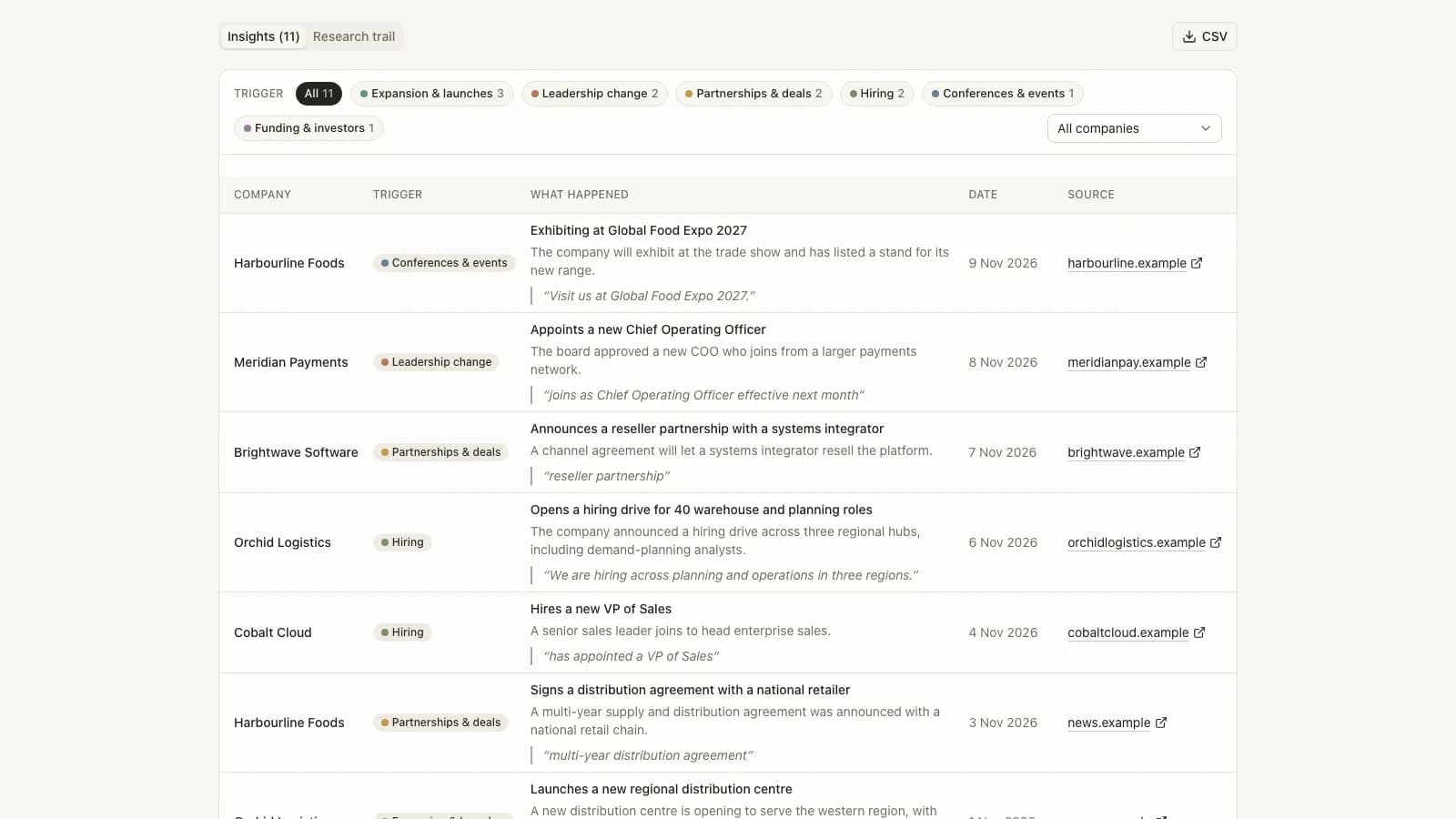
Sales teams already had lists of target accounts, but the reasons to call them were scattered across social posts, news, careers pages, press releases and event programmes. Researching a few accounts by hand was possible; doing it every week for a whole list, and trusting the result, was not.
Build a research desk where a person describes what to watch in plain words, agents do the reading, and every insight that reaches a sales rep carries a trigger type, a public link, a quote and a date inside the requested window, with a trail showing how it was found and what it cost.
What shipped
Describe the watch, not the search
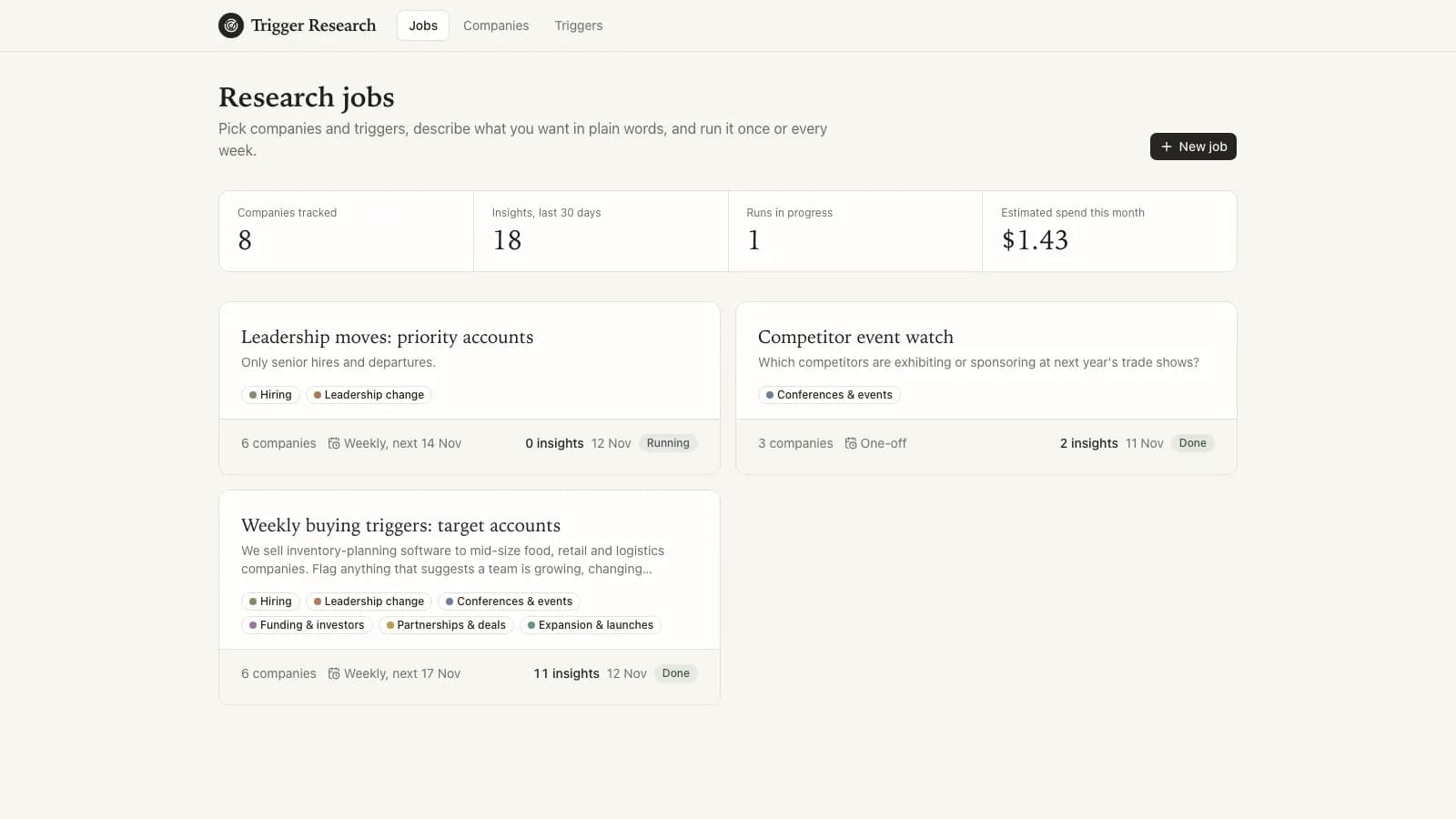
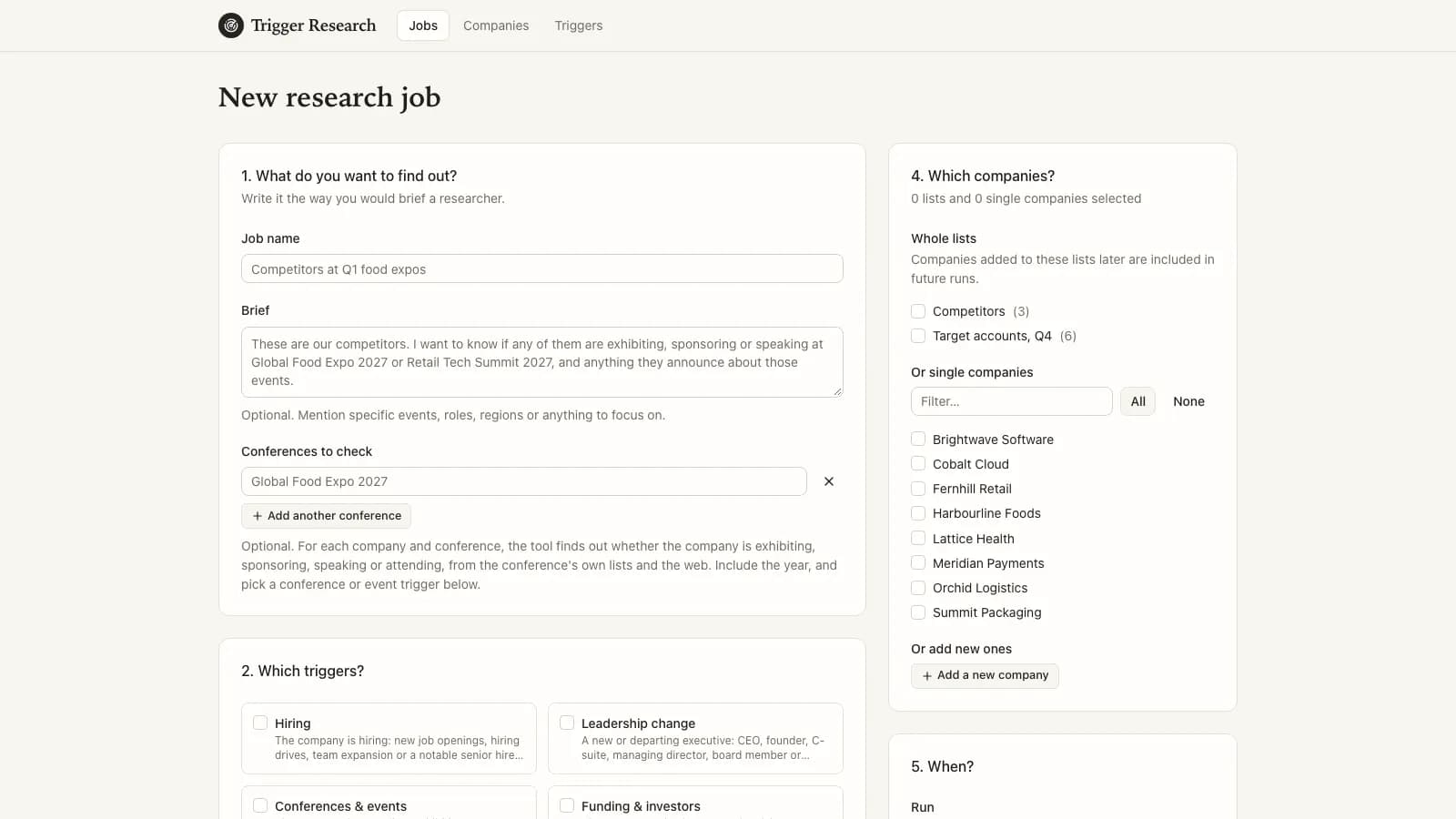
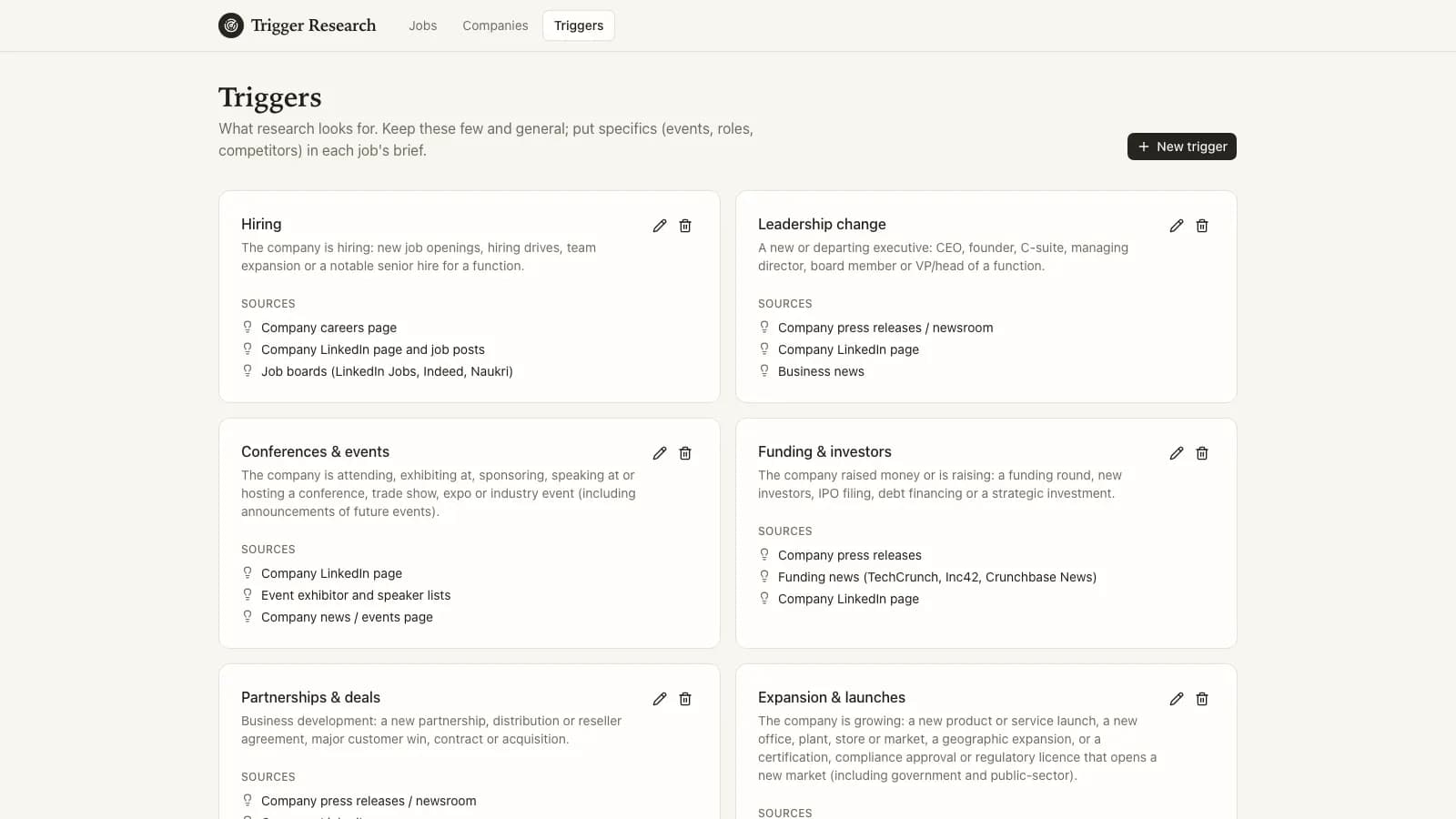
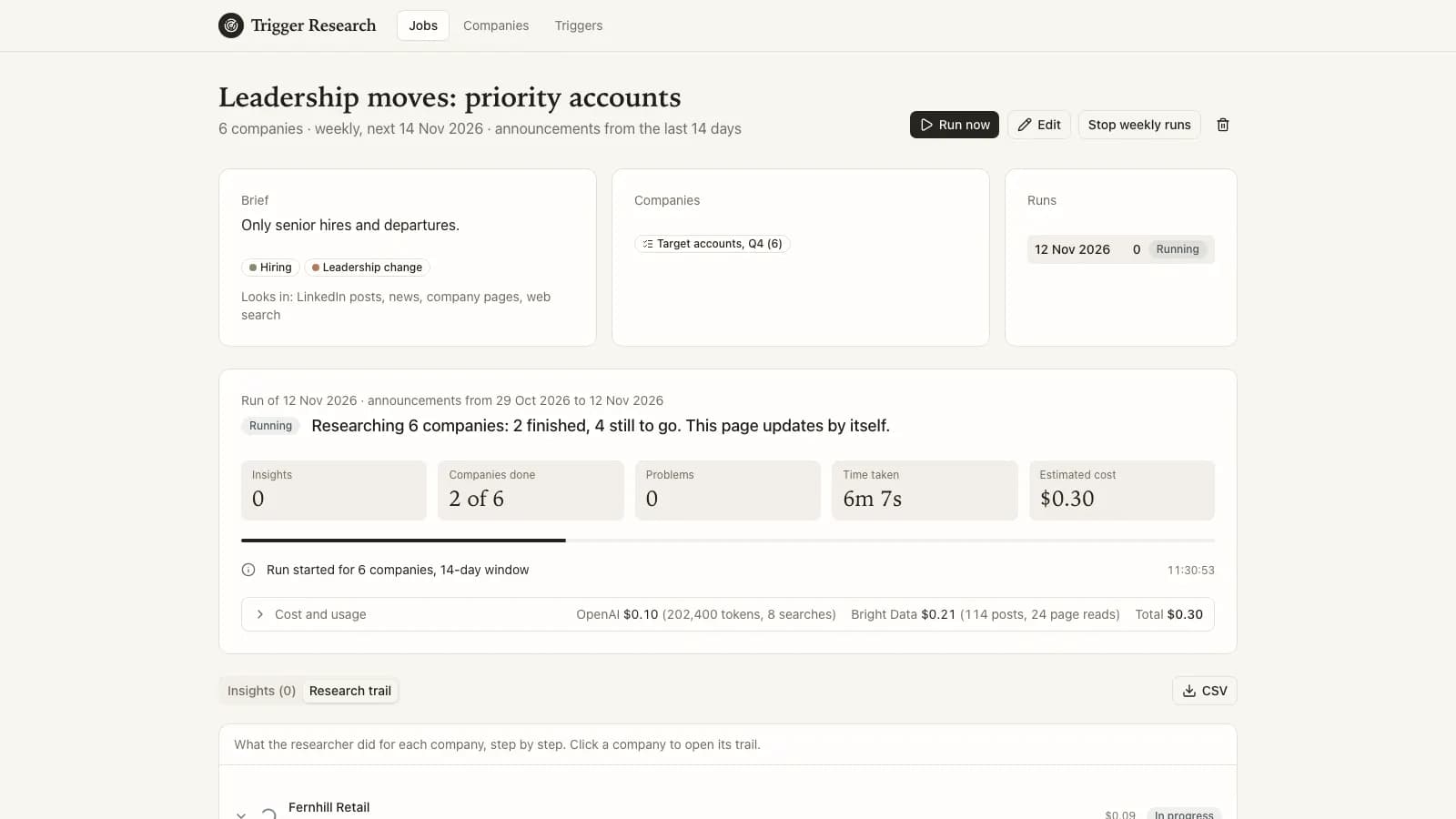
A person adds companies (one at a time or pasted from a spreadsheet), groups them into lists, and chooses triggers such as hiring, leadership change, funding, partnerships, expansion and conference activity. A job combines lists, single companies, a short brief in plain words, a look-back window and a schedule, once or every week. Lists are read when each run starts, so new companies are picked up automatically.
Collect cheaply, read selectively
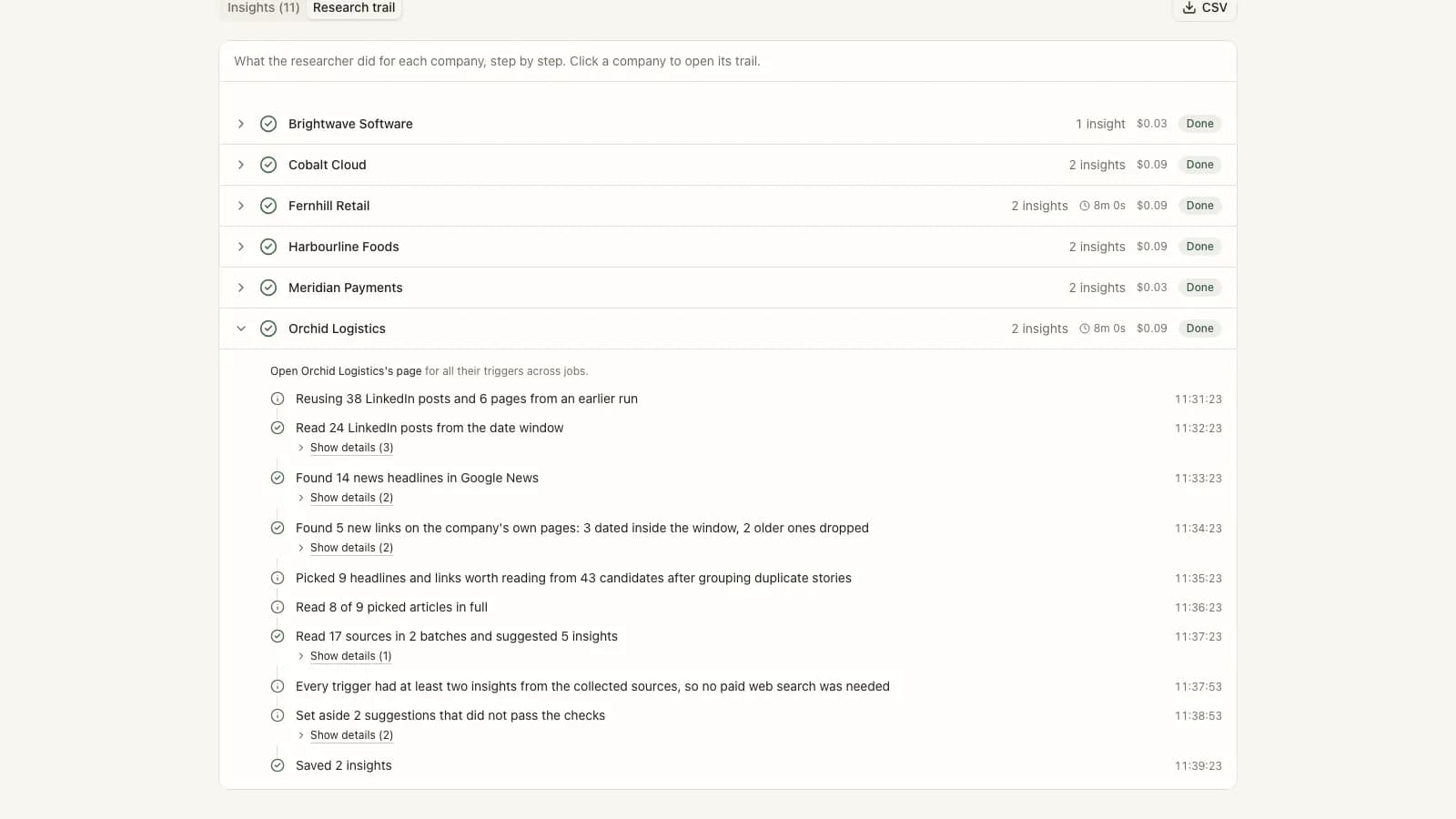
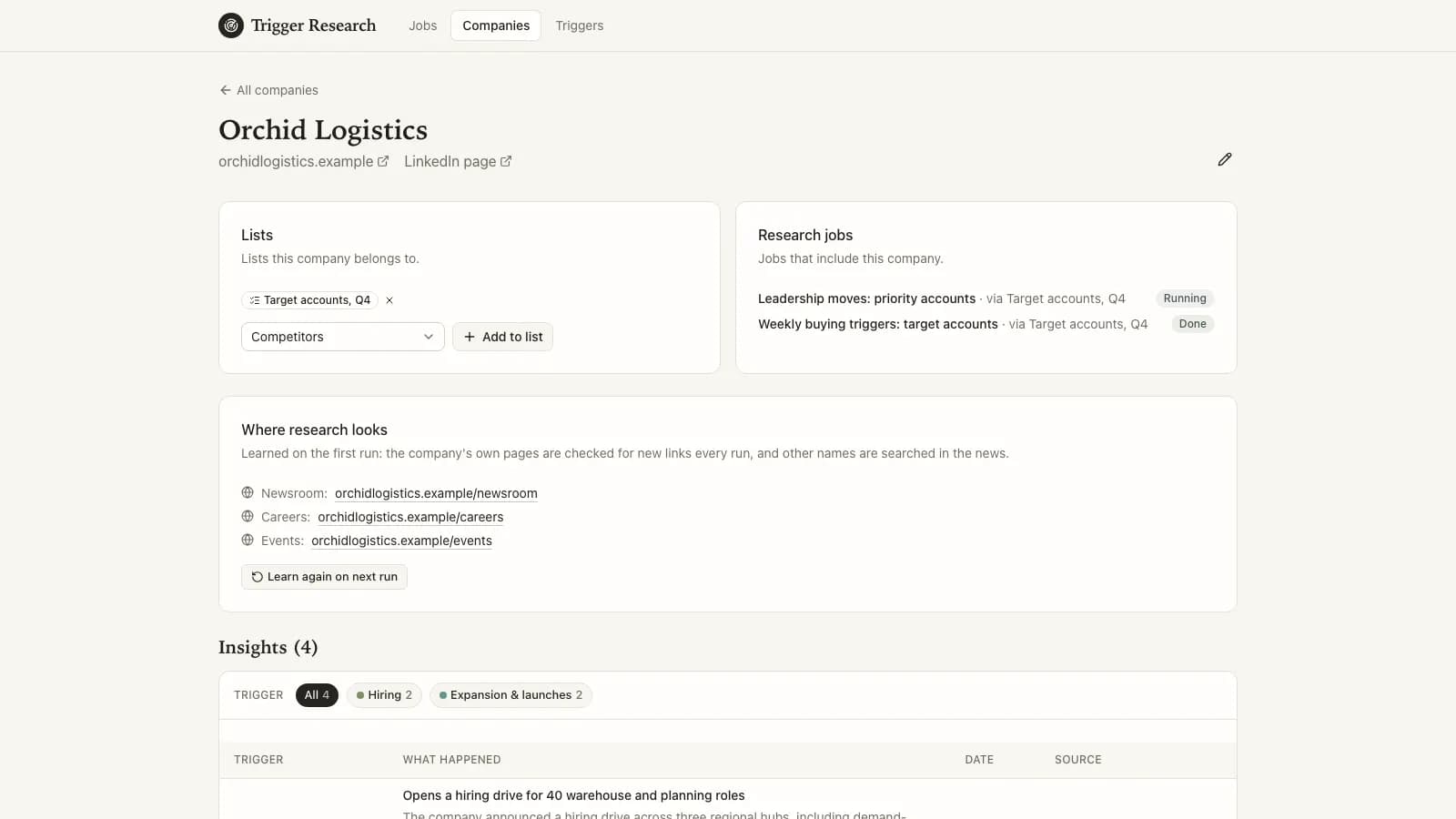
For each company the agents first learn where it publishes and what else it is called, then gather public posts, news headlines and new links on its own pages. Duplicate stories are grouped, the agents pick which items are worth reading, read only those, and extract insights in batches twice over differently ordered batches. A paid web search runs only for a trigger that still looks thin.
Keep only what can be defended
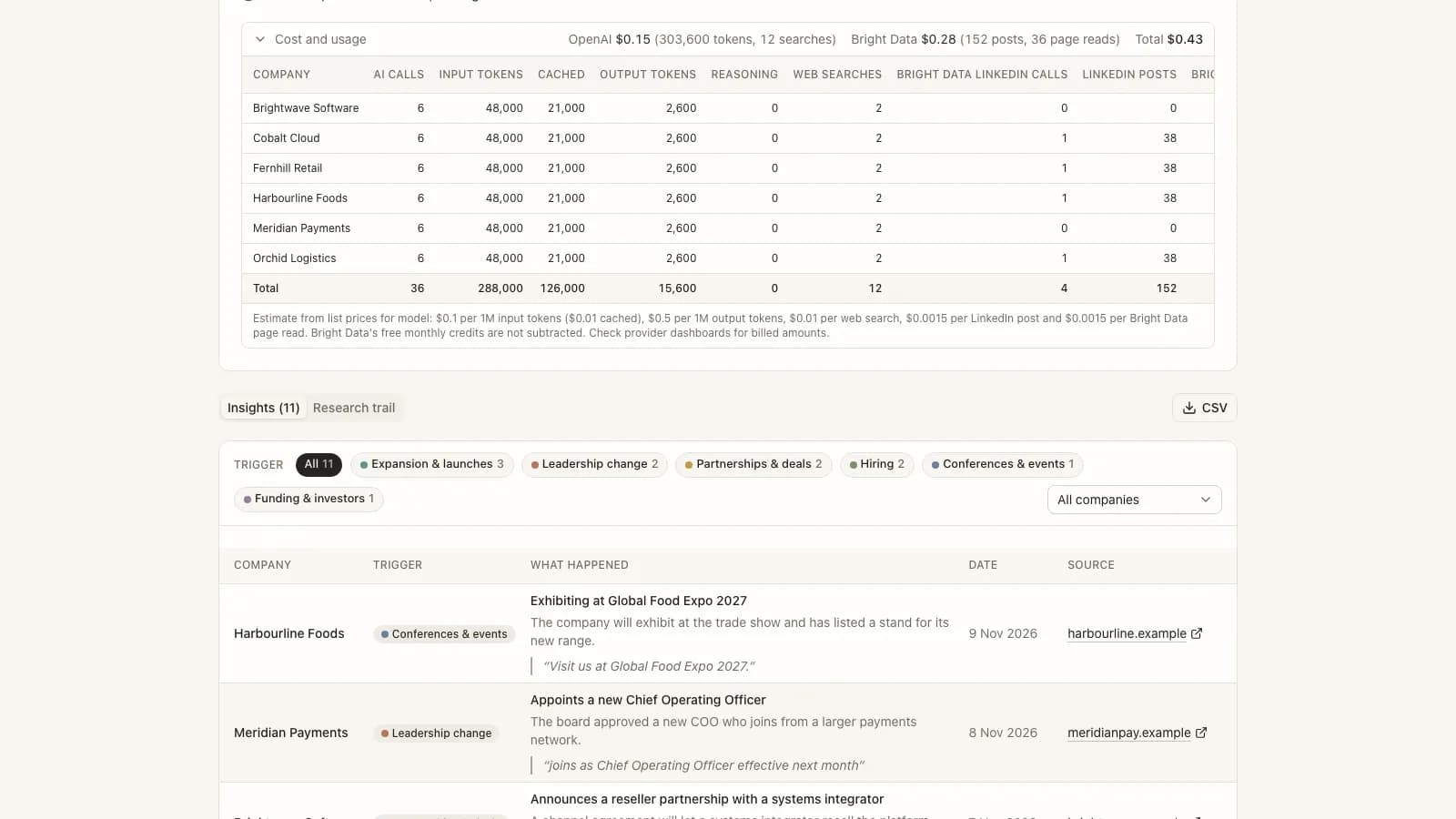
An insight is kept only when it names a chosen trigger, points to a public link, quotes the source and falls inside the date window. If it is clearly relevant but its date cannot be confirmed, it is kept as a weak insight with the reason shown. Suggestions that fail the checks are set aside, and the trail says why.
Check who is taking part in an event
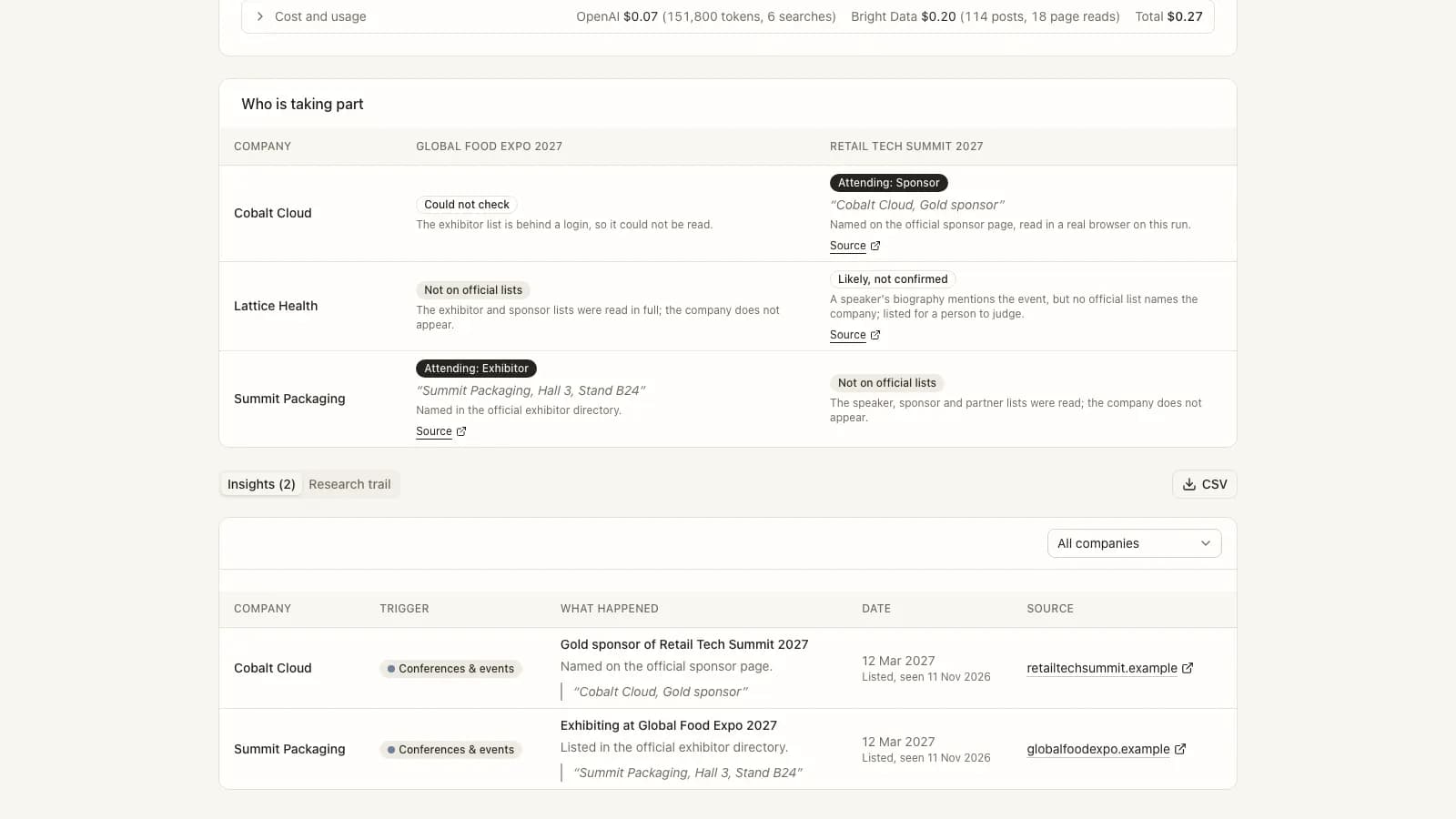
A job can name conferences. For each company and event the agents answer attending, likely but not confirmed, not on the official lists, or could not check, with the evidence or the plain reason. The first time an event is named, the agents work out how to read its official exhibitor, sponsor and speaker lists, test that method against known and made-up names, and reuse it until it stops working.
Show the work and the cost
Each run has a plain-language overview, a findings view with spreadsheet export, a step-by-step trail per company, and a usage and estimated-cost record. A company that fails is retried once, and anything that still fails is explained rather than hidden.
What it looked like in action
Representative mockup using anonymized sample data. The interaction patterns reflect the production flows; names, amounts, IDs, and dates are illustrative.
Inside the product
Screens captured from the working system with illustrative sample data. Names, contacts, companies and figures are placeholders.
Business outcomes
Technical work demonstrated
The systems and controls behind the story above.
Tiered collection and triage
Free headline feeds, public post collection, and direct reading of company pages come first; headlines are clustered, an AI triage step picks what to read, and paid web search is a gap-filler only for triggers with fewer than two insights.
Batched, double-pass extraction
Extraction runs over batches of sources twice with different shuffles, which proved more consistent than one request over everything, and duplicate insights are merged afterward.
Evidence validation
A finding must name a selected trigger, cite a public URL, quote the source and fall inside the date window; dates are checked against page metadata where available, otherwise the finding is kept only as a weak insight with a reason.
Browser-driven event list reading
For events, a headless browser lets an agent learn how to read an official list (built-in page data, page addresses, show-more controls or the site search); the recipe is verified against a known and a fabricated name, cached with an expiry, and rebuilt when it fails.
Replayable runs and benchmark harness
Collected sources are stored per task so research can be replayed at near-zero collection cost, and a hand-built answer key is used to score recall and to list extra insights for manual judgement.
Usage metering
Model calls, token classes, web searches, social post and page-read counts are recorded per company and priced from configurable list prices to give an estimated cost per run.
Architecture
Companies, lists, triggers and jobs
One small data model holds companies with their learned profile, many-to-many lists, editable triggers, jobs, runs, per-company tasks, insights, trail events, usage and event-check answers. Everything links, so any insight can be traced to a company, a trigger, a job and a source.
Research workers
Background workers claim one company at a time from a queue, so several companies are researched in parallel. Weekly jobs start a new run every seven days. Collected material is saved so a change to the reading steps can be tested again without paying for collection twice.
Evidence and cost controls
Insights are validated in code, not trusted from the model. Sign-in is a shared password for the proof of concept, and per-company usage and estimated cost are recorded for every run.
Public sources only
Research reads public posts, news and company pages; each insight links to the public page it came from.
Quoted evidence
Every insight carries a quote from its source so a person can verify it in seconds.
Honest uncertainty
Unconfirmed dates become weak insights with the reason shown; "not found" is reported as such, and unreadable event lists are reported as could not check.
Visible failures and cost
Problems are listed in the run overview and trail, and each run shows an estimated cost so spend is never a surprise.
Where this proof applies
This case study supports the solution and service pages below because the same workflow, controls, and handoff model are visible in the implementation.