An interactive plot viewer and AI sales assistant for a land and property platform.
Published
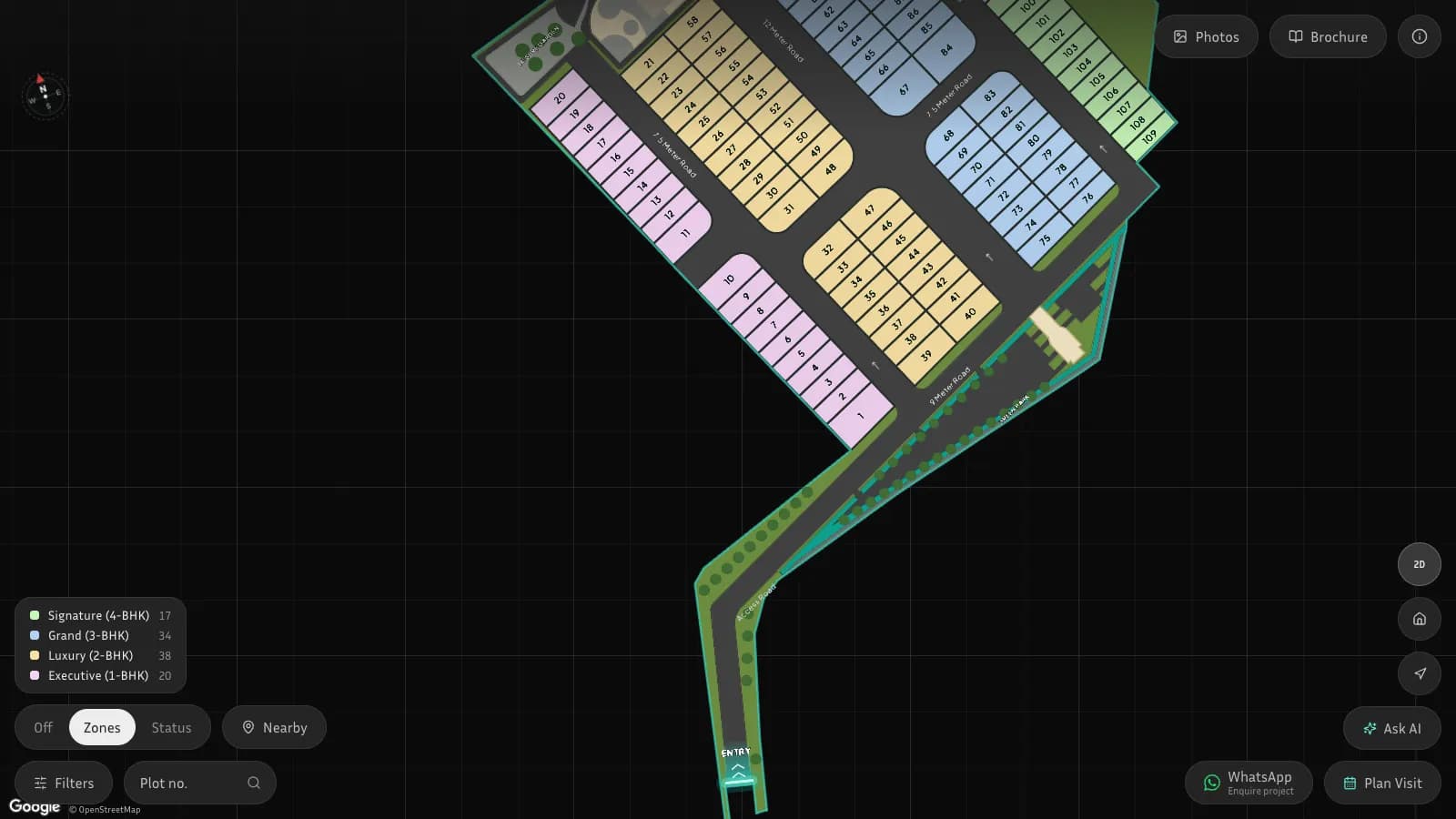
Buyers of residential plots usually received a flat drawing and a price list, then phoned the sales team to ask which plots were free, which faced the right way and how far they were from the gate. Sales teams answered the same questions repeatedly, and owners had little record of what buyers actually looked at.
Give each project a buyer page where the layout is explorable and honest about availability, add an advisor that answers in the buyer language without inventing plots or prices, capture enquiries and visit requests with consent, and give owners a console and a platform operator view to run it.
What shipped
Explore the layout, not a drawing
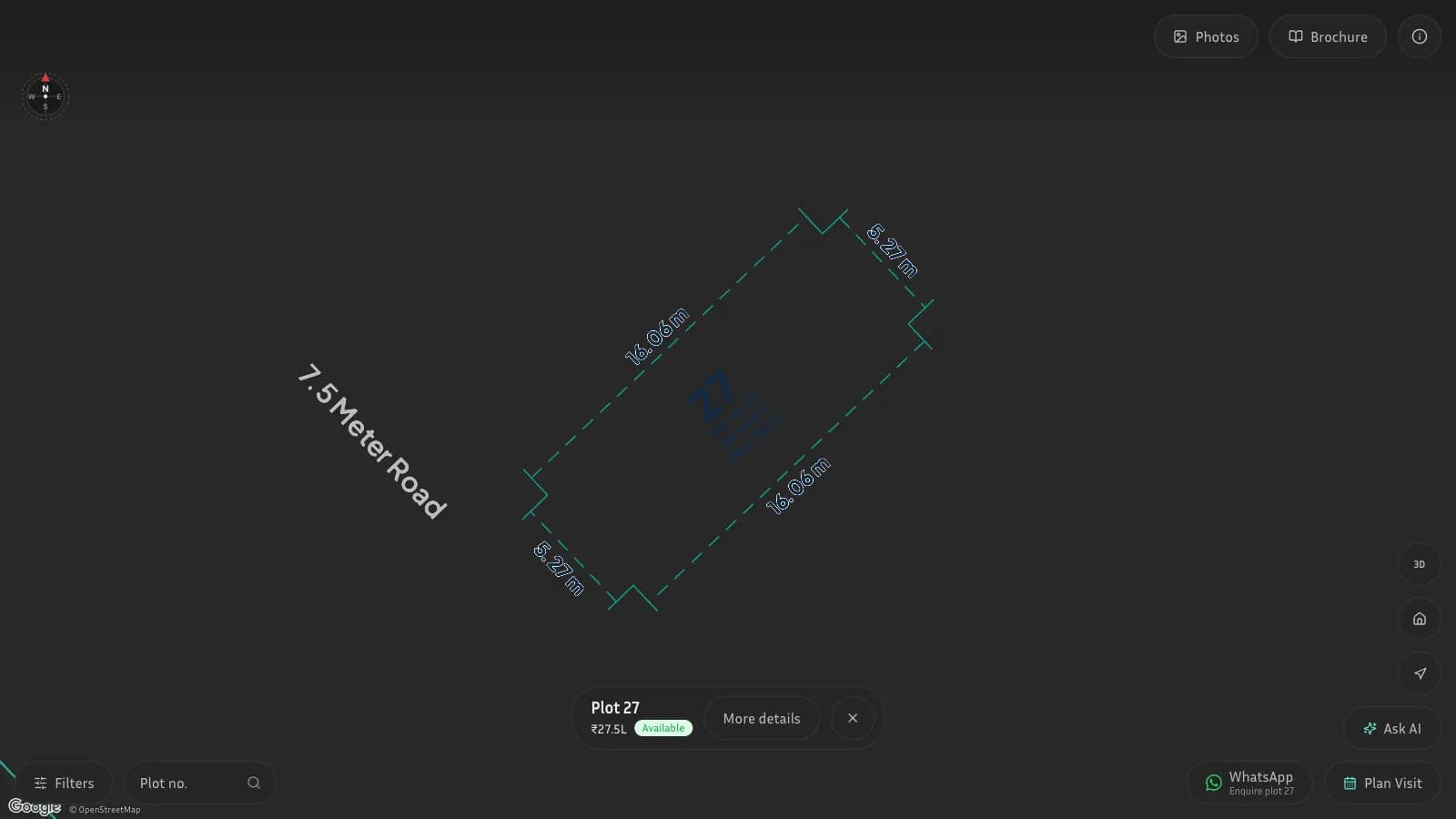
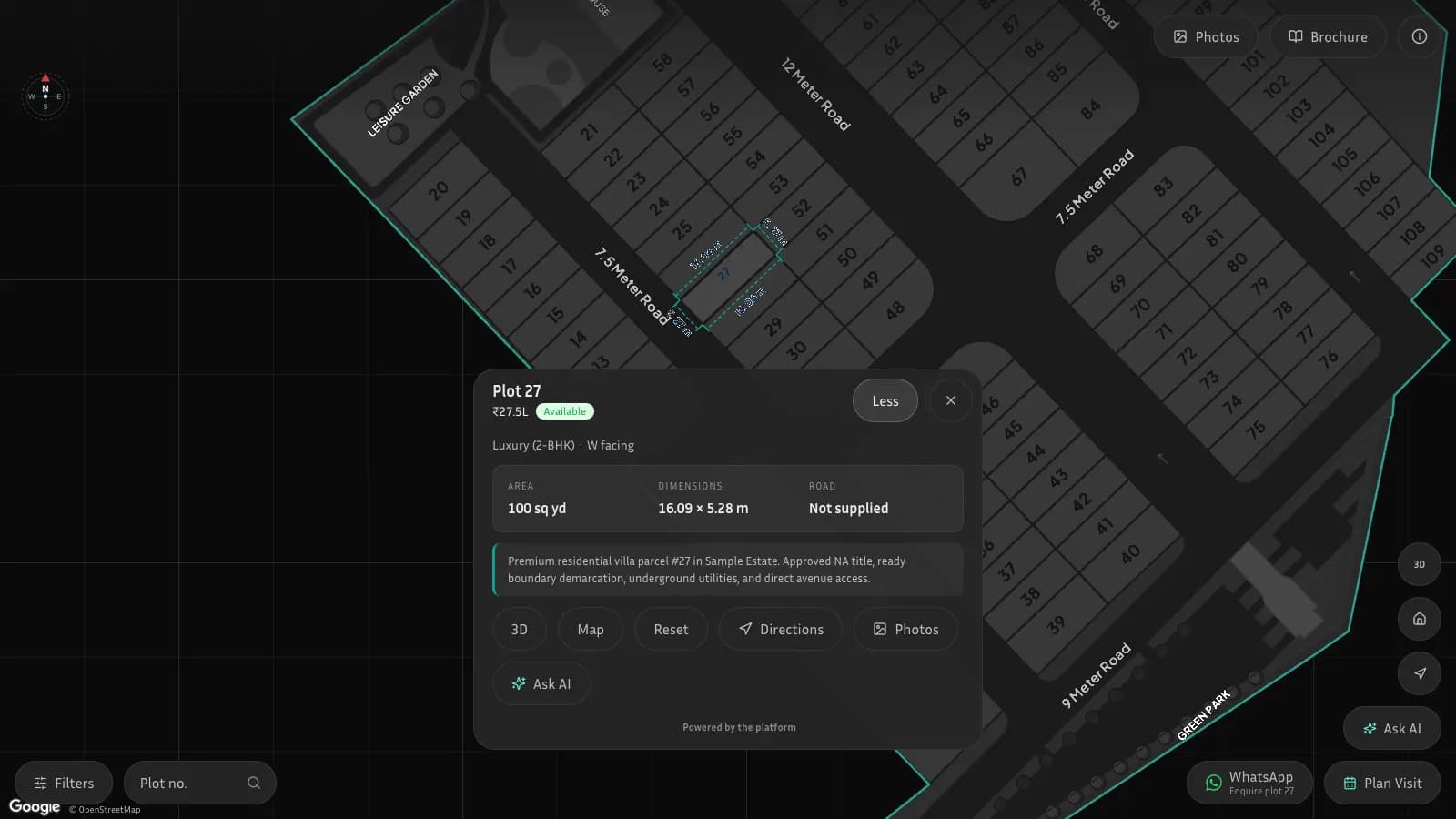
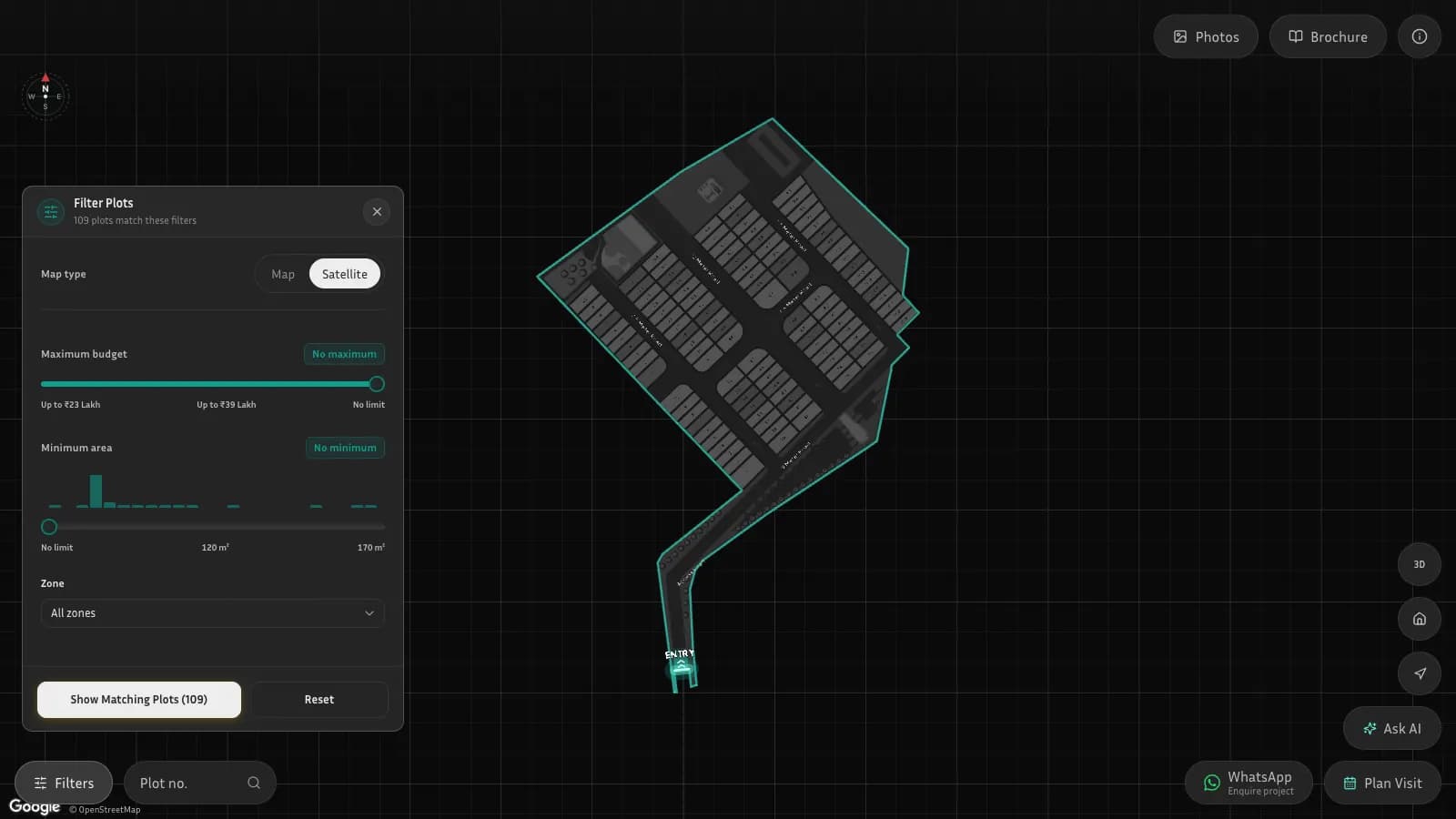
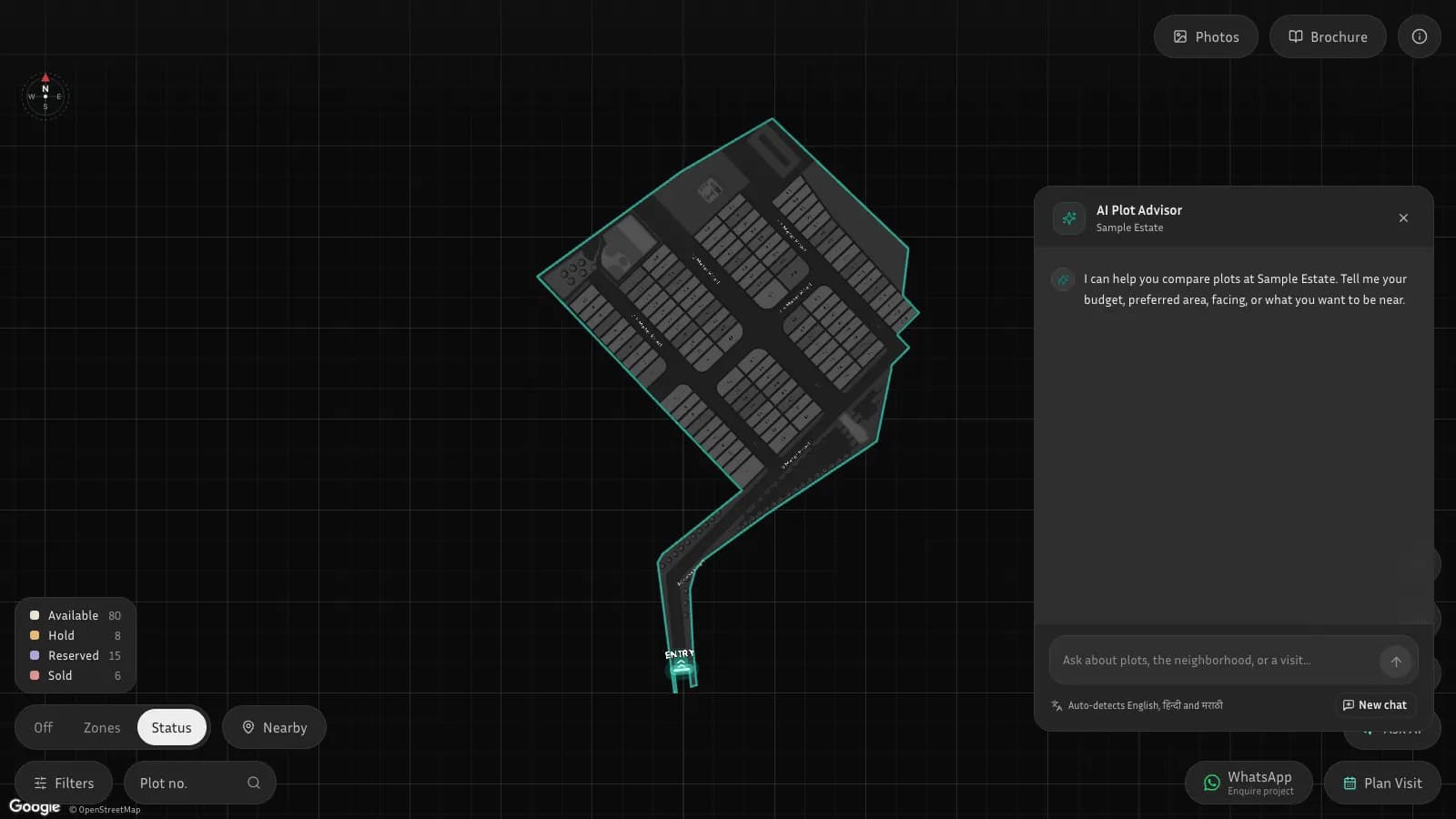
Each project opens as an interactive 2D or tilted 3D layout with roads, open spaces and numbered plots. Buyers colour it by availability or by zone, filter by budget, area, facing and zone, jump to a plot by number, open plot details with dimensions, and see nearby places with travel distances. A gallery, brochure, share link and WhatsApp button sit alongside.
Ask in your own language
A plot advisor detects English, Hindi or Marathi and turns a question such as a budget, size, facing or what to be near into filters on the map. It ranks real plots, explains them, compares parcels the buyer names, and works through a simple investment scenario. Plain code owns plot matching, ranking, plot references and every calculation, so the advisor cannot invent a plot or a price.
Turn interest into a visit
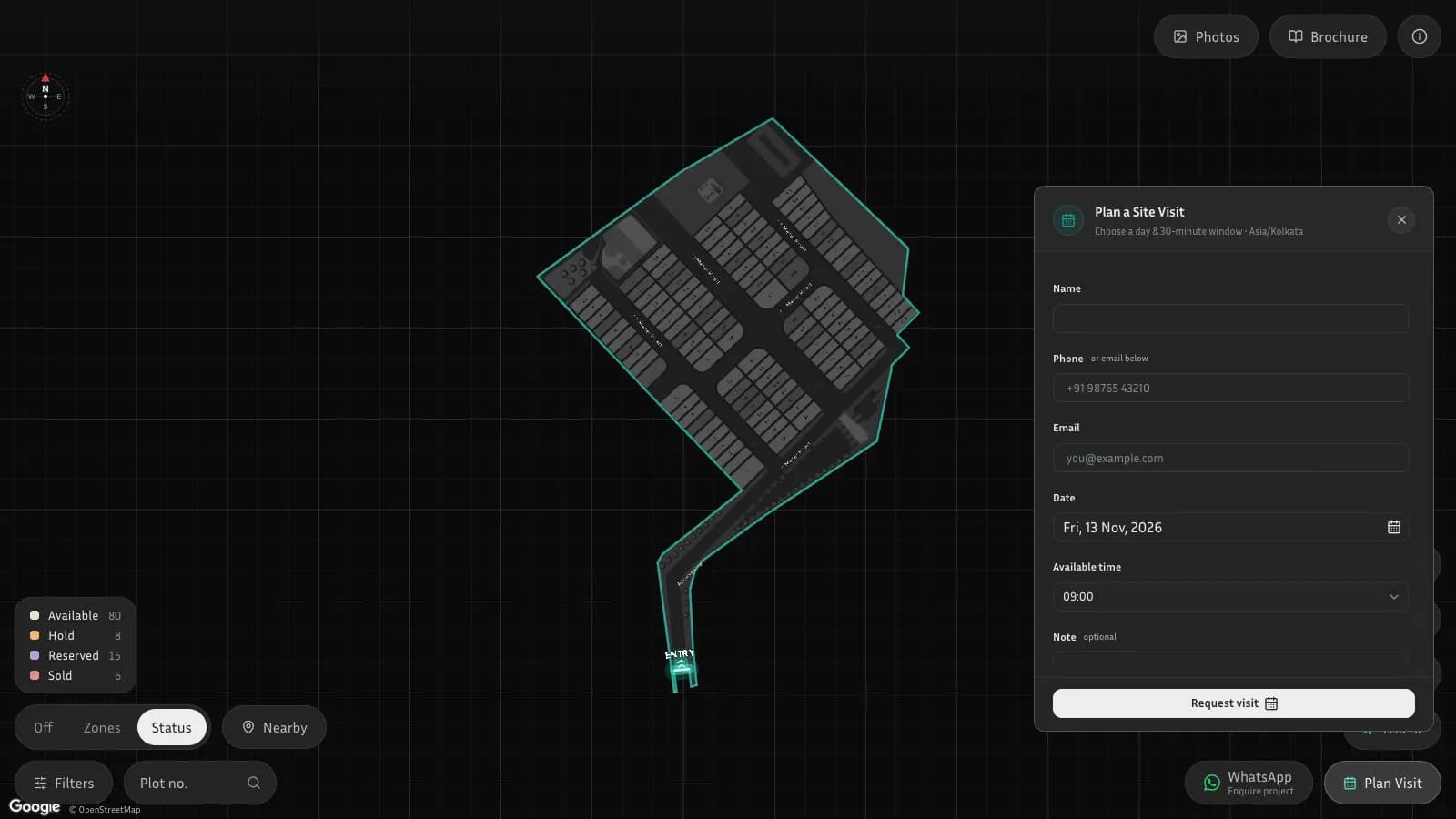
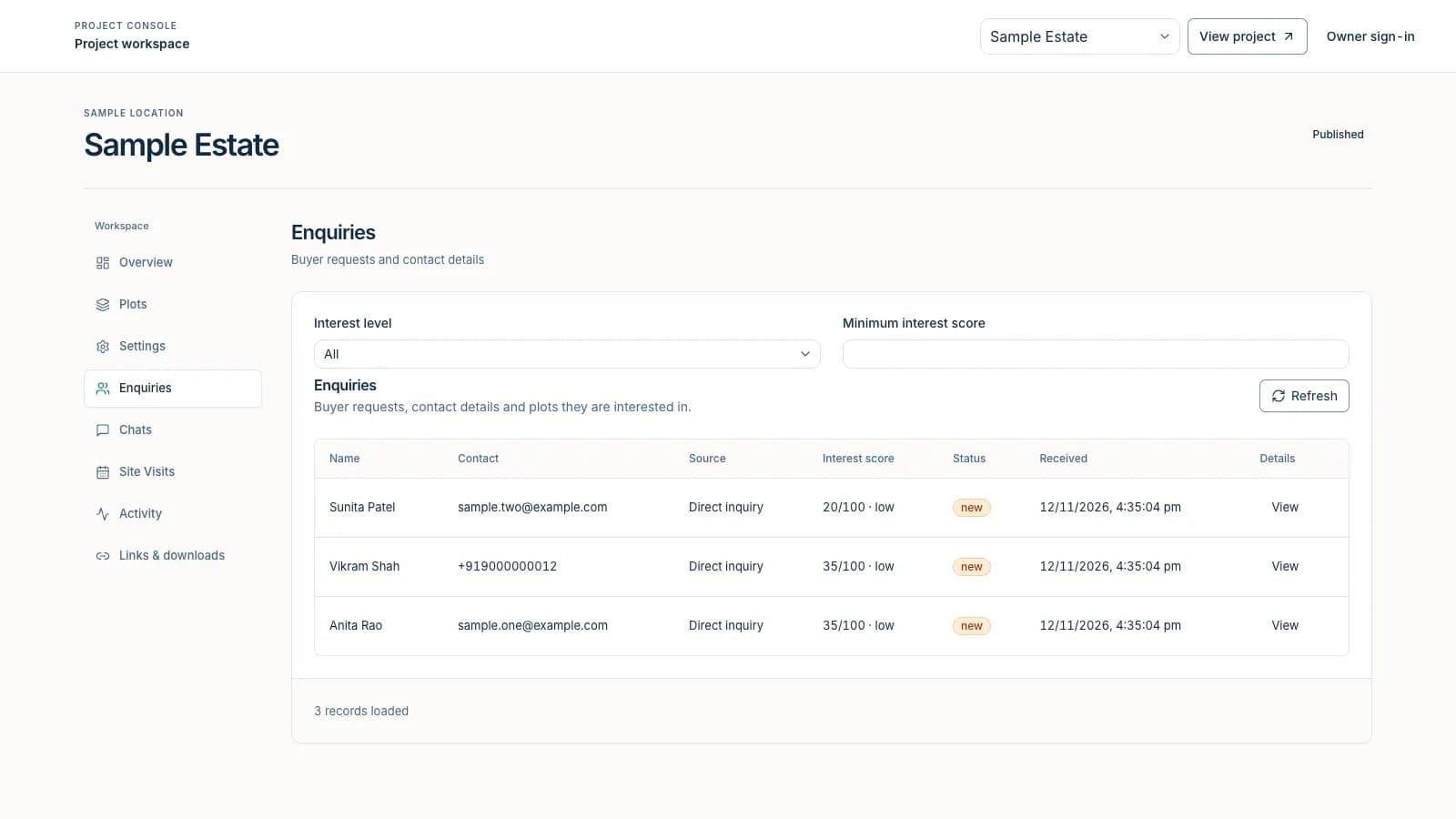
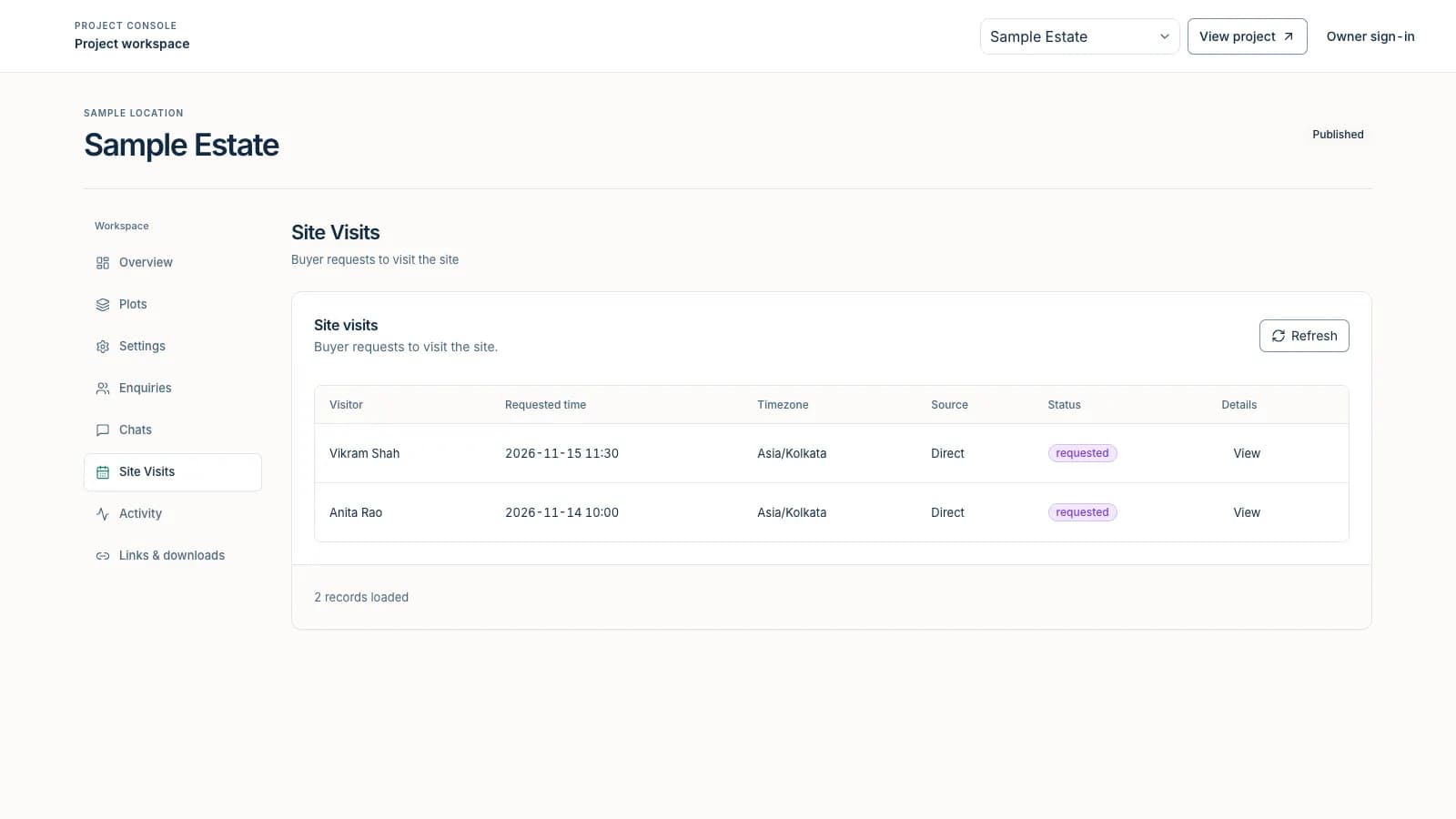
Buyers can send an enquiry, tap to chat on WhatsApp or request a site visit in a thirty-minute slot. Consent decides whether browsing and chat history are linked to the named enquiry. Each lead gets a rule-based interest score with the reasons listed, and a short explanation is available when the owner asks for one.
Run the project from one console
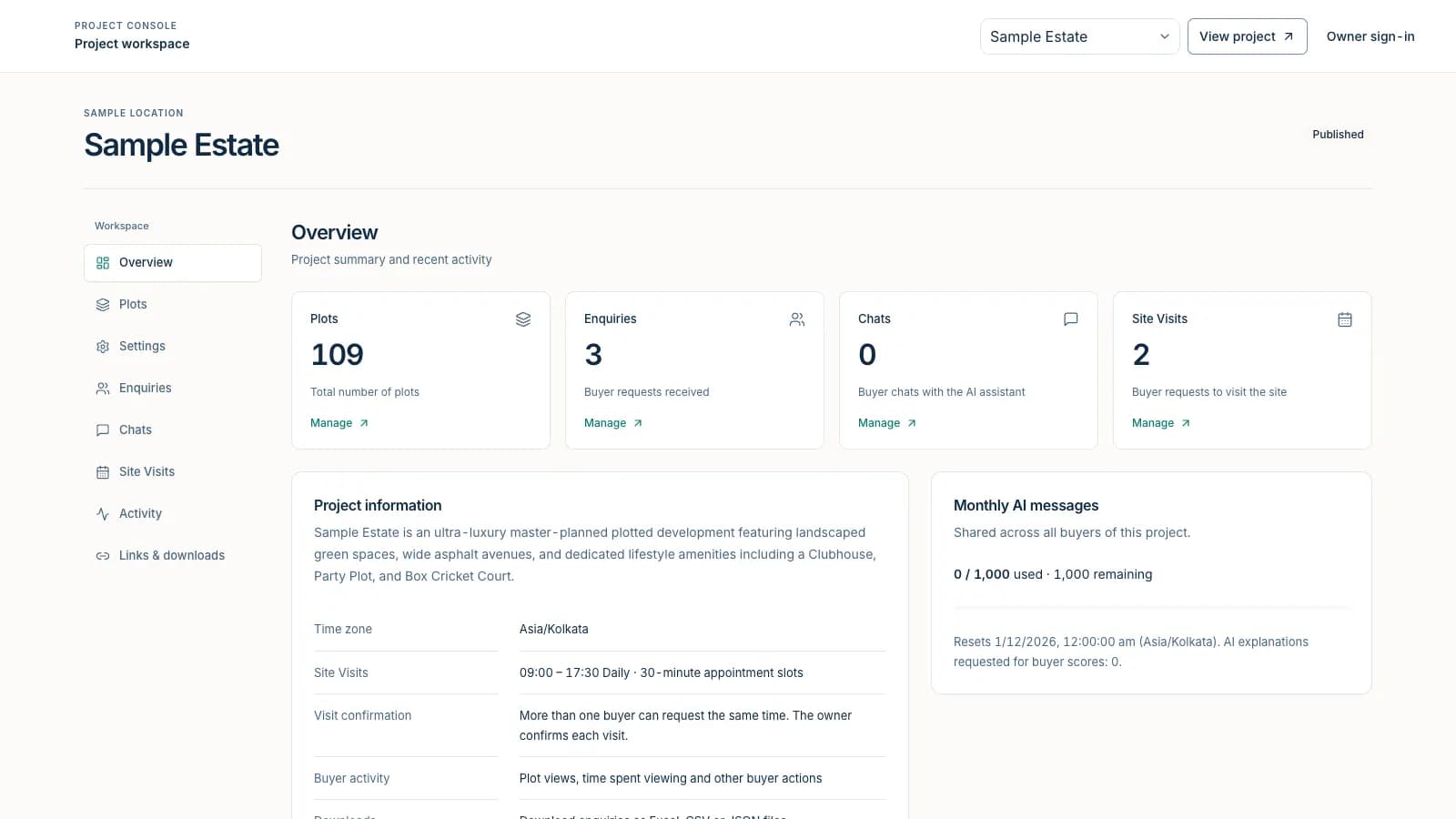
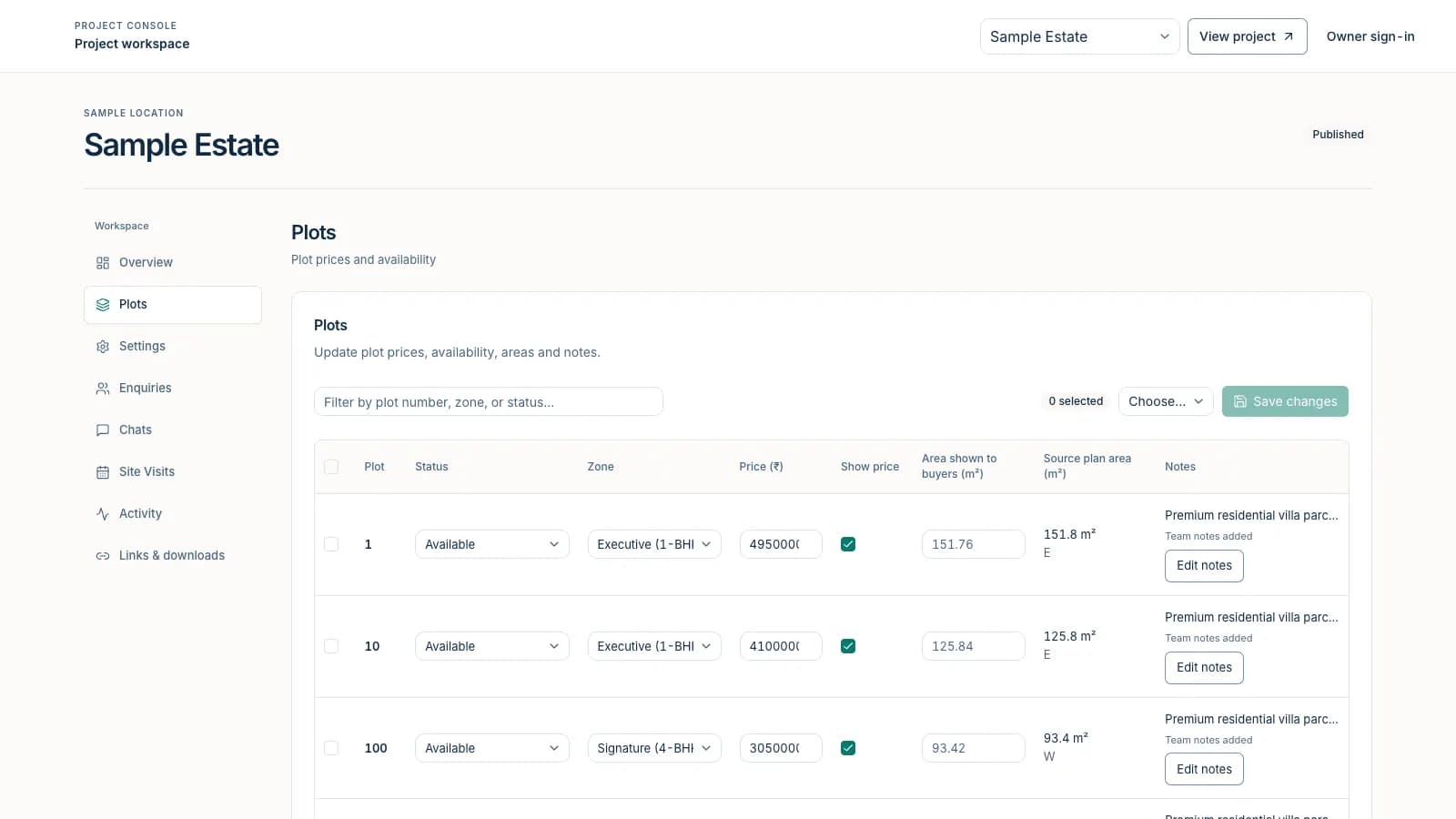
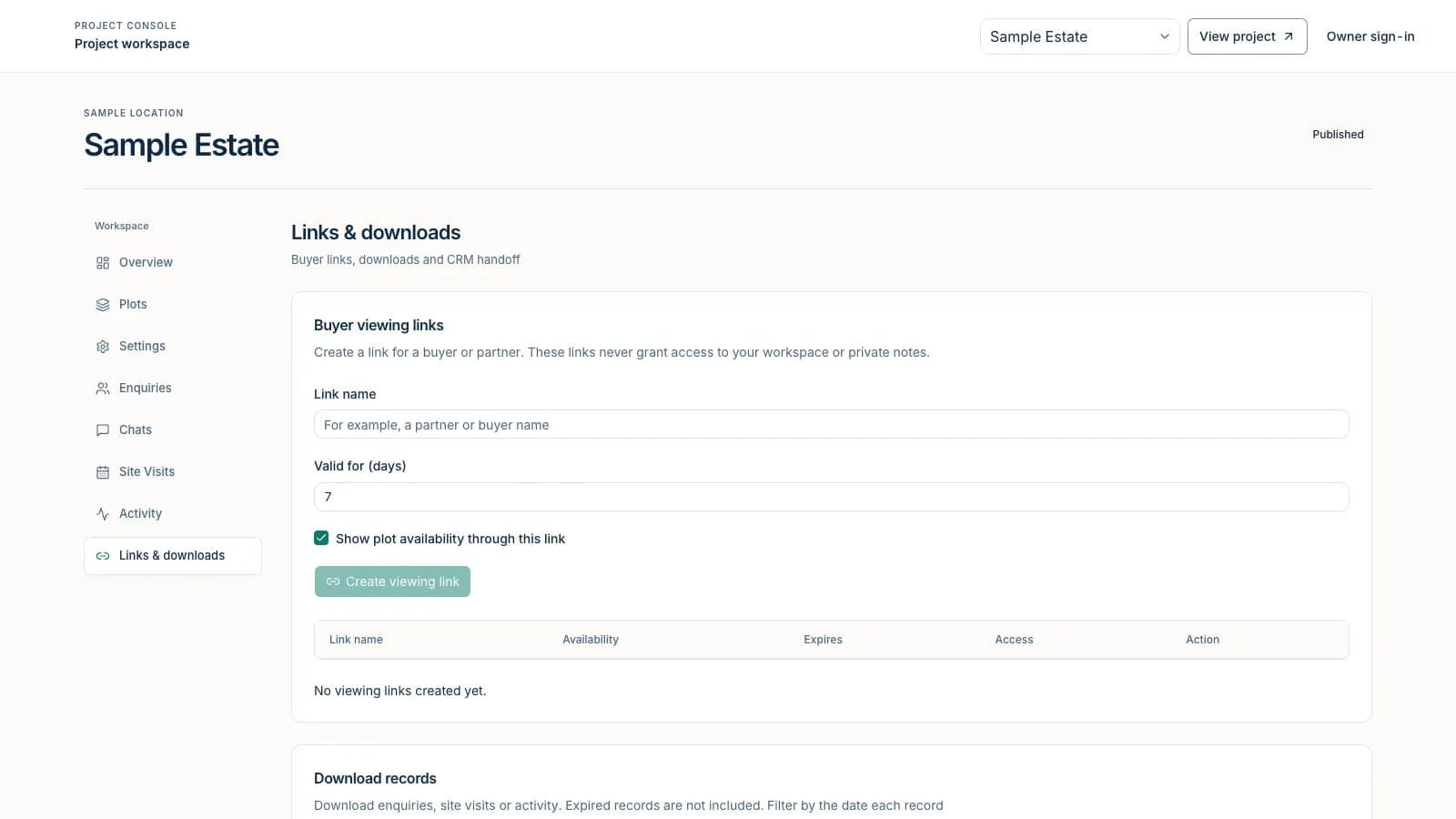
Owners update plot status, price and visibility, edit project details and contacts, read enquiries, chats, visits and activity, create revocable viewing links for partners, and export records. A platform operator view manages every project, access grants, AI message allowances and demo workspaces.
Onboard the next project with a checklist
A published onboarding checklist tells a developer what to send: the approved layout with units and revision, location and entrance pin, one row per plot with area, facing, status and price, branding and approvals, sales contacts and visit rules, and facts the advisor may use. Authored layouts are compiled into one shared layout contract so no project needs special code.
What it looked like in action
Representative mockup using anonymized sample data. The interaction patterns reflect the production flows; names, amounts, IDs, and dates are illustrative.
Inside the product
Screens captured from the working system with illustrative sample data. Names, contacts, companies and figures are placeholders.
Business outcomes
Technical work demonstrated
The systems and controls behind the story above.
Authored geometry compiled to one contract
Source layouts from drawings, vector PDFs, survey formats or 3D models are compiled into geographic surfaces, parcels keyed by stable inventory IDs, labels and framing settings; the viewer has no per-project branches.
Map rendering with a GPU overlay
A web mapping base with a GPU layer draws status and zone colours, road names, selection and a clipped focus cut-out in both 2D and tilted 3D, with camera fitting and wheel and pinch handling tuned for phones.
Bounded language-model planning
Chat input is turned into strict filter schemas; matching and ranking run in code; investment inputs distinguish stated assumptions from published prices; answers stream to the client and can fall back to deterministic extraction.
Versioned lead scoring
Scores are deterministic rule results from current, consented evidence such as an enquiry, a plot of interest, stated preferences, chat depth, comparisons and a visit; expired evidence cannot raise a score, and AI explanations are cached with a deterministic fallback.
Quotas, retention and exports
A transactional monthly AI message allowance (default one thousand, adjustable by the platform operator), ninety-day expiry for anonymous chat and activity, time-limited site-visit records, and streamed spreadsheet, CSV and JSON exports with field allowlists.
Hardened access model
Direct browser database access is denied; owner sessions are HttpOnly and revocation-checked; mutation origins are verified; request bodies are size-limited; and shares grant buyer visibility only.
Architecture
Shared viewer and layout contract
One viewer renders every project from data: surfaces, roads, parcels and labels come from the project record, so adding a project is a data task rather than a code change. Map labels, camera framing and 3D parcels share the same layout.
Advisor with code-owned facts
The language model plans the conversation and writes explanations; application code owns matching, ranking, validated plot references and investment arithmetic. Calculated answers and result cards use the same deterministic numbers, and hidden prices are never used.
Server-only data and scoped access
All data access goes through server routes with project-level authorization. Buyers see a projection that hides private notes; owners see only assigned projects; platform operators have a separate, audited portal. Demo workspaces are isolated copies of a template.
Published inventory only
The advisor and the viewer show only what the owner has published; a plot without a price never borrows another price.
Consent-aware history
Linking browsing and chat to a named enquiry depends on buyer consent; anonymous history expires on a fixed schedule.
Owner and operator separation
Buyers, owners and platform operators have separate sessions and permissions, and shares can never grant owner access.
Spend limits and audit
Monthly AI allowances are enforced in the product, and limit or reset changes leave an audit receipt.
Where this proof applies
This case study supports the solution and service pages below because the same workflow, controls, and handoff model are visible in the implementation.