Building Enterprise AI AI assistants: A Practical Build Guide
Most enterprise "AI assistants" today are little more than fancy search bars. They can summarize a document or draft a generic email, but they cannot actually solve a business problem. For a founder or operator, the novelty of a chat box wears off quickly when it fails to interact with your CRM, your ERP, or your proprietary data.
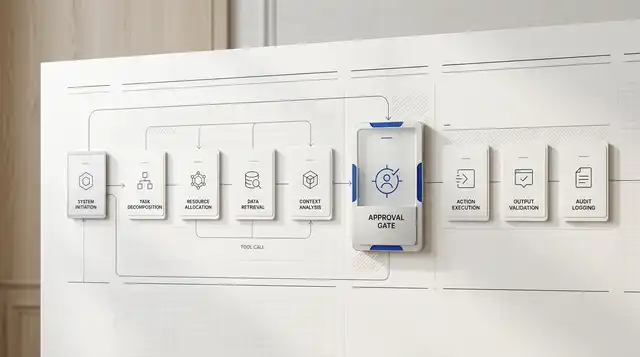
To move from a novelty to a high-ROI tool, an AI AI assistant must transition from a passive observer to an active participant in your workflow. This requires moving beyond basic Large Language Model (LLM) prompts toward a structured "operating loop." At Quellix Labs, we define this as the ability to Reason, Act, and Verify within your existing software ecosystem.
Enterprise AI assistants, explained
An enterprise AI assistant is useful when it answers from company documents, business tools, and approved workflows instead of generic model memory. The hard parts are grounding, permissions, source freshness, tool access, and review rules for actions that affect customers or operations.
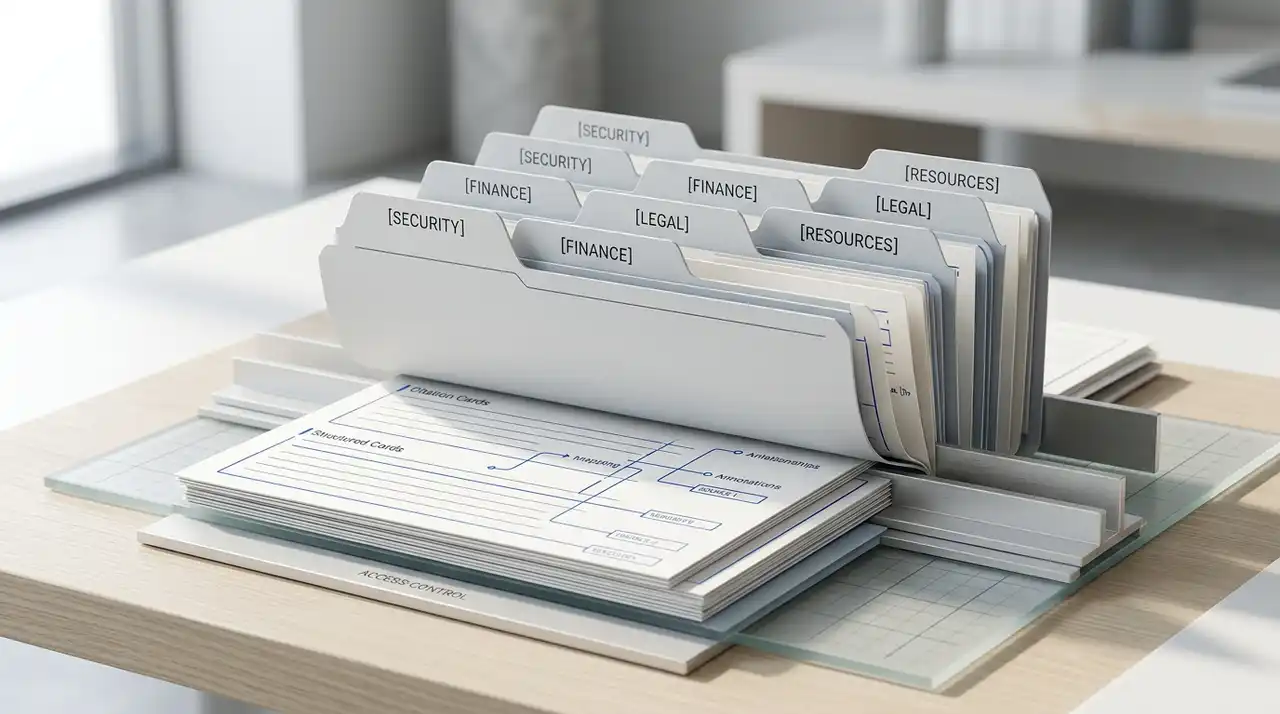
If the query is about building a custom AI assistant for company documents, start by defining which repositories it can search, which users can see which sources, when it should cite evidence, and when it should stop for human approval.
The Problem: The "Chat Box" Dead End
Companies often start their AI journey by providing employees with access to general-purpose LLMs. While this helps with individual productivity, it creates a fragmented environment. Data stays siloed. The AI doesn't know which customer is at risk of churning. It doesn't know your specific pricing tiers or your internal compliance rules.
This lack of context leads to "hallucinations" or, more commonly, irrelevant advice. According to research from the Nielsen Norman Group, AI represents the first new user interface paradigm in 60 years because it shifts from command-based interaction to intent-based interaction. However, intent without execution is just a conversation.
For a AI assistant to be useful, it must be able to execute tasks. This means it needs the "permission" and the "plumbing" to talk to your other tools.
The Workflow: The Customer Success Renewal AI assistant
To understand what a custom build looks like, let's look at a concrete workflow: The Customer Success (CS) Renewal AI assistant.
In many B2B companies, CS managers spend hours every week checking usage logs, reviewing contracts, and drafting renewal notices. This is a high-value but high-effort process. Here is how we build an AI AI assistant to handle this:
1. The Inputs (Data Extraction)
The system pulls data from three sources:
- Illustrative usage data: Queries an approved warehouse for a team-defined decline in active usage over the relevant review window.
- Contract Terms: Uses AI Document Processing to extract the specific "notice period" and "price escalation" clauses from the original PDF contract.
- Sentiment: Scans recent Zendesk tickets to identify unresolved technical issues.
2. The System Action (Reasoning & Action)
The AI does not just present this data. It reasons through it. If usage is down and the renewal enters a team-defined review window, the AI prepares a risk signal with supporting evidence. It then uses Function Calling to draft a personalized renewal email in the CS manager's draft folder.
3. The Human Approval (Verification)
The CS manager receives an illustrative Slack notification: "Account X is entering renewal review. Usage is below the team-defined threshold. I've drafted a renewal email that references the recent support ticket. Review here."
4. The Outcome
The evaluation should measure how much research time the AI assistant removes, whether drafts are accepted, and whether earlier risk signals improve the renewal process. Those results cannot be assumed before a pilot.
Implementation Framework
When we build these systems at Quellix Labs, we follow a specific delivery standard across all our services. We call this the "operating loop." It ensures the AI doesn't just guess, but follows a reliable path.
Reason
The system analyzes the user's intent. If a user asks, "Who should I call today?", the AI must understand that it needs to look at lead scores, recent activity, and calendar availability. It creates a step-by-step plan before taking any action.
Act
The system executes the plan. This might involve querying a Knowledge Base or calling an API to update a status in Salesforce. Without the ability to "Act," the AI assistant is just a consultant; with it, the AI assistant is an assistant.
Verify
Every action must be verified. This involves two layers. First, automated checks ensure the output matches the required format and safety guidelines. Second, for high-stakes actions, we build in human-in-the-loop approval points. The AI performs the heavy lifting, but the human retains the final authority.
Why Custom Builds Beat Off-the-Shelf AI assistants
Many leaders ask: "Why not just use Microsoft 365 AI assistant or Salesforce Einstein?"
Standard products are excellent for horizontal tasks like summarizing a meeting or reformatting a spreadsheet. However, they struggle with vertical, company-specific logic. A generic AI assistant doesn't know your proprietary "Ideal Customer Profile" (ICP) or how your specific engineering team labels bugs in Jira.
A custom build allows you to:
- Own the Logic: You define exactly how the AI should weight different signals.
- Control the Data: You can implement Permission-Aware RAG to ensure the AI doesn't show sensitive salary data to a junior manager.
- Iterate Quickly: When your business process changes, you update the AI's instructions immediately rather than waiting for a vendor's roadmap.
According to the Microsoft Work Trend Index, 79% of leaders agree that AI adoption is critical to remain competitive, yet many struggle to move past the "experimentation" phase. The difference between an experiment and a production tool is usually the quality of the integration.
Risks and When Not to Build
Not every workflow deserves a AI assistant. Building a custom AI system is an investment in engineering and maintenance. You should wait or avoid building if:
- Low Frequency, High Complexity: If a task happens once a month and requires deep creative intuition, the cost of building the AI logic will never be recouped.
- Stale documentation: If internal material is materially out of date, the AI will help employees find the wrong answers faster. Fix the data before you build the search.
- Lack of API Access: If your core business data is trapped in a legacy "on-prem" system with no API, an AI agent will be blind. You need a data pipeline before you need a AI assistant.
- Undefined Processes: If your humans don't know how to do the task consistently, an AI certainly won't. AI automates processes; it doesn't invent them.
The Operating Model for Success
To ensure a AI assistant actually gets used, it must live where your team lives. If a sales rep has to open a separate "AI Portal" to get help, they won't use it. The best AI assistants are embedded into Slack, Teams, or the CRM interface itself.
We focus on Durable Execution. This means if the AI is performing a long-running task-like researching 500 leads-it doesn't just "die" if there is a network glitch. It remembers where it left off and completes the job. This reliability is what builds trust with your team.
Decision Framework: Should You Build?
Ask your team these four questions to determine if a AI assistant build is worth the investment:
- Is the task repetitive? Does it happen at least 50 times a week across the team?
- Is the data accessible? Can an LLM reach the data via an API or a database query?
- Is there a clear 'Good' vs 'Bad' outcome? Can a human quickly verify if the AI's output is correct?
- What is the cost of an error? If the cost is a minor typo, automate it. If the cost is a multi-million dollar compliance fine, build in mandatory human review.
Next Steps for Technology Buyers
Building a AI assistant is not a "set it and forget it" project. It is a new piece of infrastructure. Start by identifying a single, high-friction workflow-like lead qualification or document triage-and build a focused agent for that specific task.
Once you prove the ROI of reliability in one department, you can scale the underlying architecture to the rest of the organization.
Related Reading
- The ROI of Reliability: A Practical Framework for Evaluating AI Agent Performance
- Durable Execution: The Architecture of AI Agents That Actually Finish the Job
- Permission-Aware RAG: Building Private Enterprise AI Search for Regulated Teams
- Predictive Lead Scoring and Next Best Action: Turning Sales Signals into Revenue